

Advertisement
Advertisement
Sending cryptocurrency to the wrong address can be difficult, and sometimes impossible, to reverse. A single incorrect character, the wrong network or a convincing scam message can send your funds somewhere you did not intend.
Before confirming any crypto transfer, slow down and check the address, network, amount, fees and recipient. These checks are useful whether you are sending from an exchange, mobile wallet or browser wallet, and whether you are in Nigeria or sending funds to someone abroad.
Advertisement
Table of Contents
Why crypto address mistakes are serious
Traditional bank transfers may sometimes be investigated or reversed through the bank’s process. Cryptocurrency transfers usually work differently. Once a transaction is confirmed on the blockchain, the platform you used may not be able to cancel it or recover the funds.
This does not mean every incorrect transfer is automatically lost. A recipient may voluntarily return funds, or a platform may be able to help in limited circumstances. However, recovery is not guaranteed. You should treat the confirmation screen as the last opportunity to identify a mistake.
1. Confirm the recipient independently
Do not rely only on a wallet address copied from a social media message, comment, unsolicited email or private chat. Scammers can impersonate friends, businesses, support agents and investment groups.
Confirm who should receive the funds through a trusted channel. For example, if you are paying a person or business, contact them using a phone number or account you already know rather than replying to a new message asking for payment.
Be especially careful when someone creates urgency by saying that your account will be closed, your opportunity will expire or you must pay immediately. A legitimate transaction should still allow you time to verify the details.
2. Check the entire wallet address
Wallet addresses can be long and difficult to read. Do not assume that an address is correct because its first and last few characters look familiar. Malware and address-poisoning scams may place a similar-looking address in your transaction history or clipboard.
Use this process:
- Copy the recipient’s address from a trusted source instead of typing it manually.
- Paste it into the sending platform without editing it.
- Compare several characters at the beginning, middle and end with the original address.
- Ask the recipient to confirm the address if anything looks different.
- Never send funds if the address changes unexpectedly after you paste it.
For a large transfer, consider sending a small test amount first. A test transaction may reduce the risk of losing the full amount, although it does not protect you from every scam. If the recipient asks you to send more before confirming the test payment, pause and investigate.
3. Confirm the network, not just the coin
The same asset may be available on more than one blockchain network. Selecting the wrong network can cause delays, create recovery problems or result in funds not appearing in the destination wallet.
For example, a platform may show several network options for a token. The network selected when sending must be supported by the receiving wallet or exchange for that particular deposit. Do not choose a network simply because it has a lower fee.
Check both sides:
- Which network does the sending platform use?
- Which network does the receiving wallet or exchange support?
- Does the recipient’s deposit page specify a required network?
- Are there any warnings about unsupported networks?
If the sender and receiver use different networks, stop until you understand whether the transfer is compatible. A cheaper fee is not useful if the destination cannot recognise the deposit.
4. Check whether a memo, tag or reference is required
Some exchanges and custodial wallets use a shared deposit address for certain assets. They may also require an additional memo, destination tag, payment ID or reference. This extra information helps the platform identify which customer should receive the funds.
If the deposit screen provides a memo or tag, copy it exactly as instructed. Sending to the correct address without the required tag can delay crediting the funds and may require a support request. Never invent a tag, and do not assume that a memo is optional just because the wallet address itself appears correct.
5. Verify the amount and currency
Before pressing confirm, check that you selected the intended asset and entered the correct amount. Crypto platforms may display balances in the coin itself, another currency or both. A decimal-point error can make a significant difference.
Review:
- The name and symbol of the asset.
- The amount being sent.
- The amount the recipient is expected to receive.
- The transaction fee.
- Any minimum or maximum transfer requirement shown by the platform.
Do not confuse a network fee with the amount paid to the recipient. The fee may be deducted from your balance or added to the amount, depending on the service. Read the final summary carefully before approving it.
6. Treat QR codes and copied addresses with caution
QR codes can reduce typing mistakes, but they are not automatically safe. A QR code can lead to the wrong address, and a malicious website or app could replace a copied address on your device.
After scanning a QR code, check the address displayed by your wallet. Do not approve a transaction just because the scan was successful. If you are using a website, confirm that you are on the genuine platform and not a lookalike page designed to collect your login details or recovery phrase.
7. Never share your recovery phrase or private key
No legitimate support agent needs your seed phrase, recovery phrase, private key, wallet password, PIN or one-time password to “verify” a transfer. Anyone who obtains a recovery phrase may be able to control the wallet and move its funds.
Support representatives should not ask you to transfer crypto to a “safe wallet”, pay a fee to unlock your account or provide a secret phrase for recovery. These are common warning signs of a scam.
Use only the official support route provided by the wallet or exchange. Avoid support accounts that contact you first through social media or messaging apps.
8. Review the final confirmation screen
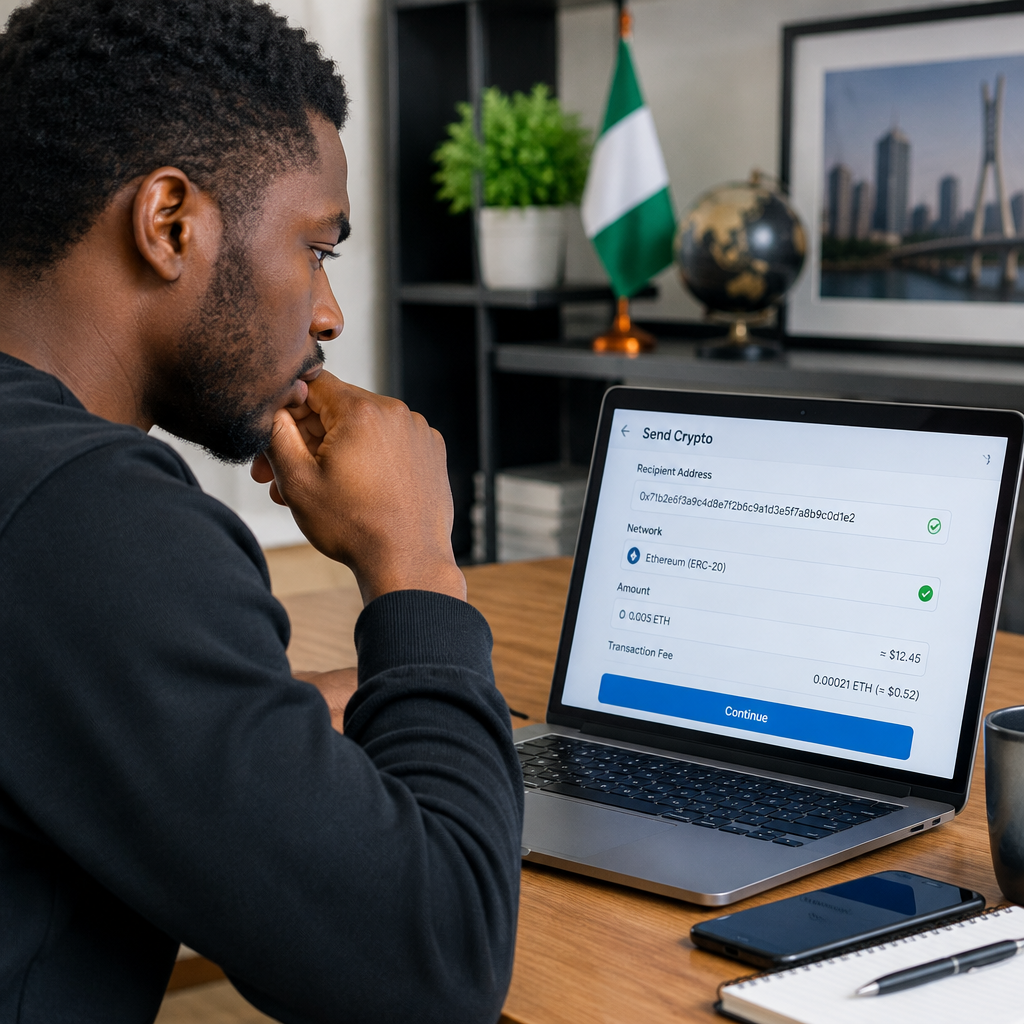
The final screen is your transaction checklist. Read it from beginning to end instead of tapping through quickly. Confirm the recipient address, network, asset, amount, fee and memo or tag. If the transaction is large, take a moment away from the screen and check the details again.
After sending, save the transaction hash or transaction ID. It can help you track the status on the relevant blockchain explorer or provide useful information to the receiving platform’s support team. A transaction ID does not make a mistaken transfer reversible, but it helps identify what happened.
A simple pre-transfer routine
Use the same routine every time:
- Identify: Confirm the recipient through a trusted channel.
- Match: Compare the complete address and required memo or tag.
- Network: Make sure both platforms support the same network.
- Amount: Check the asset, decimal point, fee and final balance.
- Test: For a high-value transfer, consider a small test payment.
- Confirm: Approve only after reviewing the final transaction screen.
What to do if you notice a mistake
If you have not confirmed the transaction, cancel it immediately and correct the details. If it has already been submitted, contact the sending platform and the recipient or receiving platform as soon as possible. Provide the transaction ID, asset, network and destination address, but never provide your password, OTP, private key or recovery phrase.
If someone tricked you into sending funds, preserve screenshots, wallet addresses, messages and transaction information. Report the account or website through the relevant platform’s official reporting process. Be cautious of anyone who promises guaranteed recovery for an upfront payment; recovery scams often target people who have already lost money.
The safest crypto transfer is not the fastest one. A few minutes spent checking the recipient, address, network, memo, amount and security warnings can prevent a mistake that may be permanent.
Advertisement