

Advertisement

Advertisement
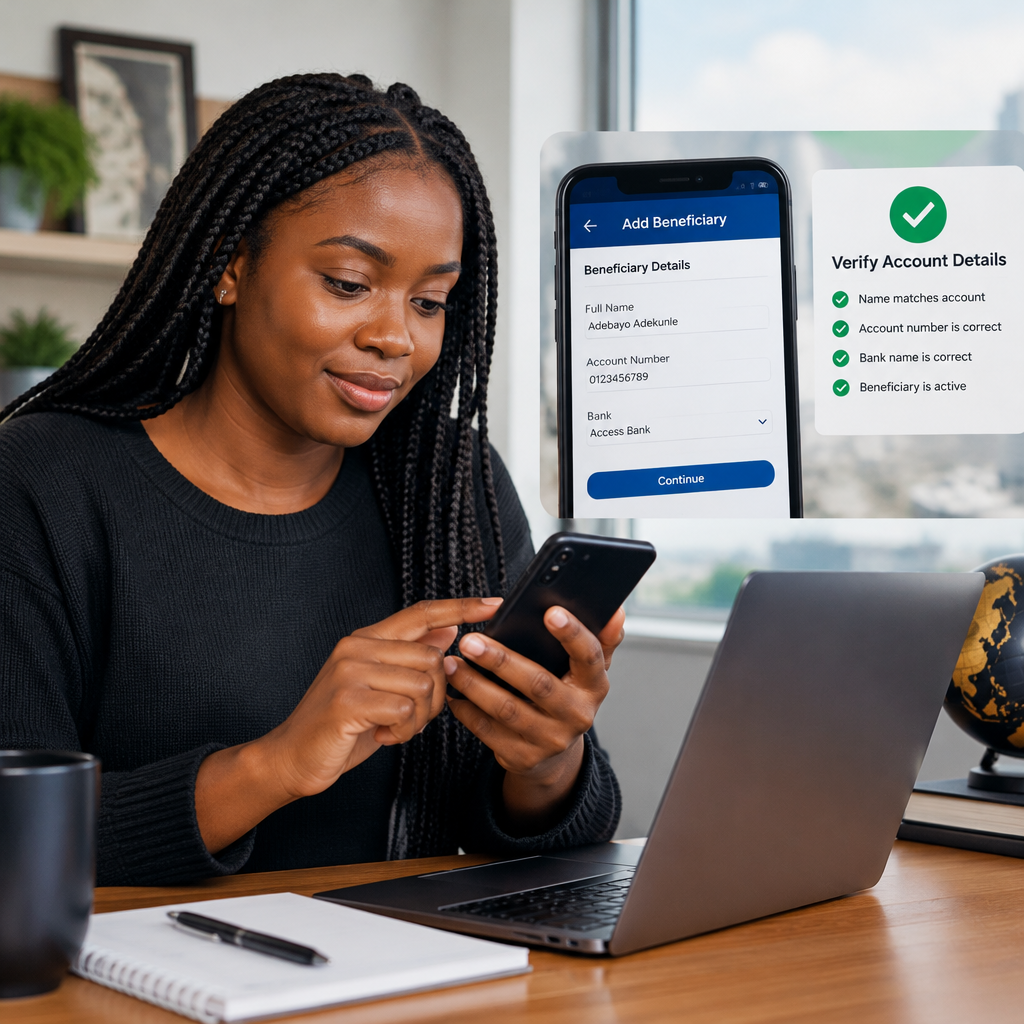
Adding a new beneficiary makes future bank transfers faster, but one wrong digit can send money to the wrong account or delay a payment. Whether you are paying school fees, sending money to family, settling a business invoice or transferring funds to someone in Nigeria from abroad, take a few minutes to verify the details before confirming.
The exact names of buttons differ between Nigerian banking apps, internet banking platforms and USSD services. You may see options such as Beneficiaries, Saved accounts, Recipients or Manage transfers. The safety checks remain broadly the same.
Advertisement
Table of Contents
What is a transfer beneficiary?
A beneficiary is the person or organisation that will receive your transfer. When you save a beneficiary, your bank stores details such as:
- The recipient’s account name
- The recipient’s bank
- The recipient’s account number
- Sometimes a nickname, transfer purpose or payment reference
Saving the details can reduce repeated typing, but it does not guarantee that the information is correct. A saved beneficiary can still contain a wrong account number, an incorrect bank or details copied from a scam message.
Before you add the beneficiary
Collect the recipient’s details directly from a reliable source. Ask the recipient to send the information through a trusted channel, and compare it with previous legitimate payments where possible.
For a typical Nigerian bank transfer, you may need the recipient’s:
- Full account number
- Bank name
- Account name, once the bank verifies it
- Reason for payment or a reference, if required
Do not ask the recipient for your PIN, password, card PIN, one-time password or security answers. You normally do not need any of these details to add someone as a beneficiary. Anyone claiming to need your OTP to “activate” a recipient should be treated with suspicion.
How to add a new beneficiary safely
1. Open the official banking channel
Use your bank’s official mobile application, website or USSD channel. Avoid opening a banking link sent by an unknown person through social media, text message or email. If you are using an app, confirm that it is the genuine application installed from the appropriate official app store.
Do not complete the process on a shared or public device if you can avoid it. If you must use one, log out afterwards and do not allow the browser to save your banking credentials.
2. Go to transfers or beneficiary management
Sign in and select the transfer area. Look for an option such as Add beneficiary, New recipient or Manage beneficiaries. Some banks only offer the option after you begin a transfer, while others place it under settings or payments.
If you cannot find it, use the bank’s in-app help section or contact details shown on its official website. Do not install an unfamiliar application because someone claims it is needed to complete the transfer.
3. Select the correct transfer type
Choose the option that matches the payment. This could be a transfer to another account in the same bank, a transfer to another Nigerian bank or an international transfer. Selecting the wrong type can produce different fields, charges or processing requirements.
For an international payment, the recipient may need additional information such as an address, routing details or an international bank identifier. Confirm these requirements with your bank and the recipient’s bank before starting. Do not guess a code or copy one from an unverified website.
4. Enter the account number carefully
Type the account number slowly. Do not rely only on a copied number if your phone may have inserted spaces or changed characters. After entering it, pause and compare every digit with the original information.
If you scan a QR code or copy details from a message, still review the result. A compromised account, altered message or fake invoice can contain the wrong destination.
5. Check the name returned by the bank
Many transfer services perform an account-name enquiry after you enter the bank and account number. Wait for the result and compare the displayed name with the person or organisation you intend to pay.
A small difference may have an innocent explanation, such as a shortened name, a business account or a joint account. However, a completely different name is a reason to stop. Contact the recipient through a trusted channel before proceeding.
Do not assume that a successful name enquiry means the transfer is safe. It only indicates that the account details correspond to an account. It does not confirm that the account belongs to a genuine seller, landlord, recruiter or investment platform.
6. Add a clear nickname, if available
A nickname can help you identify the beneficiary later. Use a description such as Chinedu – rent, School fees – official account or Supplier – Lagos. Avoid using a nickname that could cause confusion with another recipient.
For business payments, include the invoice number or customer reference in the appropriate field. This can help the recipient match your payment, but it does not replace checking the account details.
7. Confirm the beneficiary using the bank’s security step
Your bank may ask for a transaction PIN, authentication code, biometric confirmation or another security step. Enter sensitive information only inside the genuine banking channel. Never read an OTP aloud to a caller, agent or supposed bank representative.
Some banks may apply a waiting period or additional confirmation before a new beneficiary can receive money. This is a security feature, not necessarily an error. Follow the message displayed in the official app and contact the bank if the instruction is unclear.
Use a small first transfer when appropriate
If you have never paid the beneficiary before, consider sending a small test amount first when the situation allows. Ask the recipient to confirm receipt before sending the full amount. This is especially useful when paying a new supplier, contractor or unfamiliar account.
A test transfer is not always practical. For example, a payment may have a strict deadline or the recipient may require the full amount before releasing a service. In that case, verify the details through more than one trusted method and keep evidence of the instructions you received.
Common mistakes to avoid
- Rushing because of pressure: Scammers often create urgency. Stop if someone says you must transfer immediately or threatens a penalty for taking time to verify.
- Trusting only the account name: A matching name does not prove that the recipient is legitimate.
- Ignoring a mismatch: Do not proceed until you understand why the displayed name differs from the expected name.
- Choosing a similar bank: Several financial institutions may have similar names. Select the exact bank shown by the recipient and confirm it before saving.
- Saving duplicate beneficiaries: Multiple entries with similar names make future mistakes more likely. Review and remove old or confusing entries.
- Sending from an unsafe network or device: Use a trusted device, update your banking app and avoid conducting sensitive transactions on public Wi-Fi when possible.
- Sharing proof of payment carelessly: A receipt may contain account names, references or transaction information. Send it only to the intended recipient and hide sensitive details when they are not necessary.
What to do if you notice an error
If you have not confirmed the transfer, cancel the transaction and remove or correct the beneficiary. If money has already been sent, contact your bank immediately through its official customer-service channel. Provide the transaction reference, amount, date and recipient details.
Do not wait to see whether the recipient returns the money. Banks may have procedures for reporting and attempting to recover a mistaken transfer, but recovery is not guaranteed. Keep screenshots and messages that show the original instructions, and report suspected fraud through the appropriate official channels.
A simple final check before sending
Before pressing Transfer or Confirm, check these five items:
- Is this the correct beneficiary?
- Does the bank name match the recipient’s instructions?
- Does the account number match, digit for digit?
- Does the verified account name make sense?
- Is the amount and payment reference correct?
For Nigerians using online banking, a careful pause is often more valuable than speed. Add beneficiaries only through official banking channels, protect your authentication details and treat unexpected changes to payment instructions as a warning sign. The safest transfer is not merely one that goes through; it is one that reaches the intended account for the intended reason.
Advertisement
