

Advertisement

Advertisement
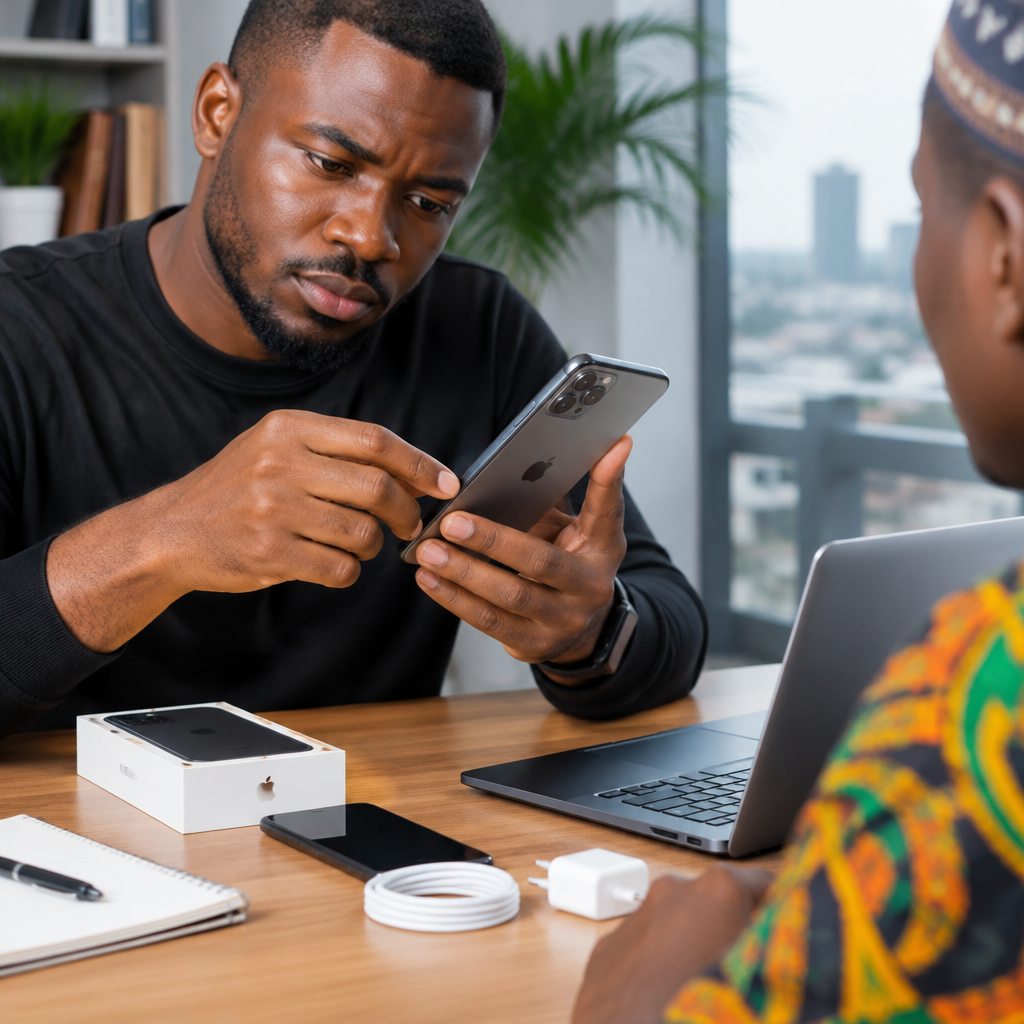
Buying a used phone can save you money, but a device that looks clean may have a weak battery, hidden damage, network restrictions or an account lock that makes it difficult to use. Before paying a seller, inspect the phone carefully and test the features you will depend on every day.
This guide is useful whether you are buying from a phone shop, an online marketplace or an individual seller in Nigeria. Do not allow pressure, an attractive price or a busy meeting place to replace proper checks.
Advertisement
Table of Contents
Before meeting the seller
Ask for the exact phone model, storage capacity, colour and condition before you meet. Request clear photos of the front, back, sides, camera area and charging port. You can then compare the phone you receive with what was advertised.
Also ask whether the phone has been repaired, whether the screen or battery has been replaced, and whether the seller has the original receipt or purchase evidence. A seller who refuses to answer basic questions may not be someone you should pay in advance.
Research the normal second-hand price for the same model and storage size. A very low price does not automatically mean a bargain. It may indicate serious damage, a fake device, a stolen phone or a phone that cannot be used normally.
Meet safely and bring the right tools
Meet in a public, well-lit location. If possible, go with someone you trust. Avoid sending a deposit merely because the seller says another buyer is waiting. Do not give the seller your banking password, PIN, OTP, email password or any other private security information while testing the phone.
Bring a SIM card that works, a small power bank or charger, earphones if needed, and another phone with internet access. A flashlight can help you inspect scratches, gaps and signs of liquid damage. You may also bring a cable suitable for the phone, but avoid using an unfamiliar charger if the device appears damaged.
Start with the physical inspection
Hold the phone under good light and check the screen, frame and back cover. Look for cracks, deep scratches, dents, swelling, loose panels and unusual gaps around the body. A damaged frame can suggest that the phone has suffered a strong impact, even if it still turns on.
- Check that the screen sits properly in the frame.
- Look for lines, black spots, flickering or areas that do not respond to touch.
- Inspect the camera lenses for cracks, fogging or scratches.
- Check the charging port for heavy dirt, looseness or bent pins.
- Press the physical buttons to confirm that they work normally.
- Look at the SIM tray and memory-card slot, if the phone has one.
Be careful with phones that have a swollen back or screen lifting away from the body. A swollen battery can be a safety risk. It is better to walk away than to buy a device that may need urgent repair.
Confirm the phone’s identity
Open the phone’s settings and confirm the model name, storage capacity and software information. Compare these details with the box, advertisement and the physical device. Some counterfeit phones are designed to look like popular models but show different information in their settings.
Find the IMEI number by opening the phone information page or, on many phones, entering *#06# in the dialler. Compare the displayed IMEI with the number on the device’s packaging or SIM tray where available. If the numbers do not match, ask the seller for an explanation and do not continue until the issue is resolved.
An IMEI check can help identify inconsistencies, but it is not a complete guarantee that a phone is safe to buy. Keep a written record or photograph of the IMEI and receipt if you complete the purchase.
Test the screen, touch and sound
Open a plain white image or webpage to look for discolouration, dead pixels and uneven brightness. Then open a dark image to check for bright spots or unusual patches. Slowly drag an app icon across every part of the screen. This can reveal areas where touch input fails.
Play audio through the loudspeaker and make a short call. Test the earpiece, microphone and vibration. Record a brief voice note and play it back. If possible, connect earphones or a Bluetooth accessory to check whether the relevant connection works.
Test the cameras and connections
Open the front and rear cameras. Take photos in good light and, if possible, record a short video. Check that the camera focuses, saves files and switches between available lenses. Look for persistent blur, shaking, strange lines or a camera application that keeps closing.
Insert your SIM card and confirm that the phone recognises it. Check whether it can make a call, receive a call and send a text message. Test mobile data and Wi-Fi. If the phone is advertised as supporting two SIMs, inspect both SIM slots rather than assuming they work.
Turn Bluetooth on and connect to another device. Test location services with a map application if practical. These checks are especially important if you need the phone for mobile banking, navigation, work or online services.
Check the battery and charging
The battery percentage alone does not tell you its true condition. Use the phone for several minutes while opening the camera, browsing and playing audio. Watch for sudden drops, excessive heat, unexpected shutdowns or a battery percentage that behaves strangely.
Connect a suitable charger and confirm that charging begins. Gently move the cable without forcing it. Charging should not stop easily, although a loose cable can sometimes be the fault rather than the phone. Ask whether the battery has been replaced and whether the replacement is original or from another manufacturer.
On iPhones, check the battery health information in Settings where available. On Android phones, battery-health features vary by manufacturer and software version, so do not rely on one universal menu. The practical tests—charging, heat, battery drain and shutdowns—still matter.
Make sure the phone is not account-locked
This is one of the most important checks. The seller should remove their Google account from an Android phone or their Apple Account from an iPhone before you pay. The device should then be reset in front of you and reach the normal setup screen.
Do not accept a phone that asks for the previous owner’s password after a reset. This may be an activation or factory-reset protection lock. The seller may genuinely be the owner, but you should not pay until the lock has been removed properly. Never rely on a promise that you can bypass it later.
After the reset, begin the setup process far enough to confirm that the phone accepts your SIM or connects to Wi-Fi. You do not need to enter your personal accounts during the meeting. If the seller will not allow a reset or refuses to remove their account, treat that as a serious warning.
Look for signs of repair or water damage
Check whether screws are damaged, the screen colour differs from the frame, or the body has uneven gaps. These signs do not automatically make a phone unusable, but they show that it may have been opened or repaired. Ask directly what was replaced and write the answer on the receipt.
Inspect the SIM tray and charging area for corrosion or unusual residue. Water damage may not appear immediately and can cause later problems with charging, network connections or the motherboard. A seller who says a phone is “waterproof” is not offering a guarantee against previous liquid damage.
Agree on the final price only after testing
Discuss price after the checks, not before. If the screen, battery, camera or charging port needs attention, include the likely repair cost in your decision. A cheap phone that needs several repairs may cost more than a better-maintained device.
Pay using a traceable method where possible, and keep the seller’s name, phone number, payment evidence and a simple written receipt. The receipt should include the model, storage capacity, IMEI, amount paid, date and any warranty or return agreement. Do not hand over money while the phone is still linked to the seller’s account.
A quick decision rule
Buy only when the phone passes four basic tests: its identity is consistent, its essential hardware works, the previous owner’s account has been removed, and the seller is willing to complete the transaction transparently. If any of these conditions fails, pause the purchase.
The safest used-phone deal is not necessarily the cheapest one. It is the one where you can verify what you are buying, test it without pressure and leave with proof of the transaction.
Advertisement
