

Advertisement

Advertisement
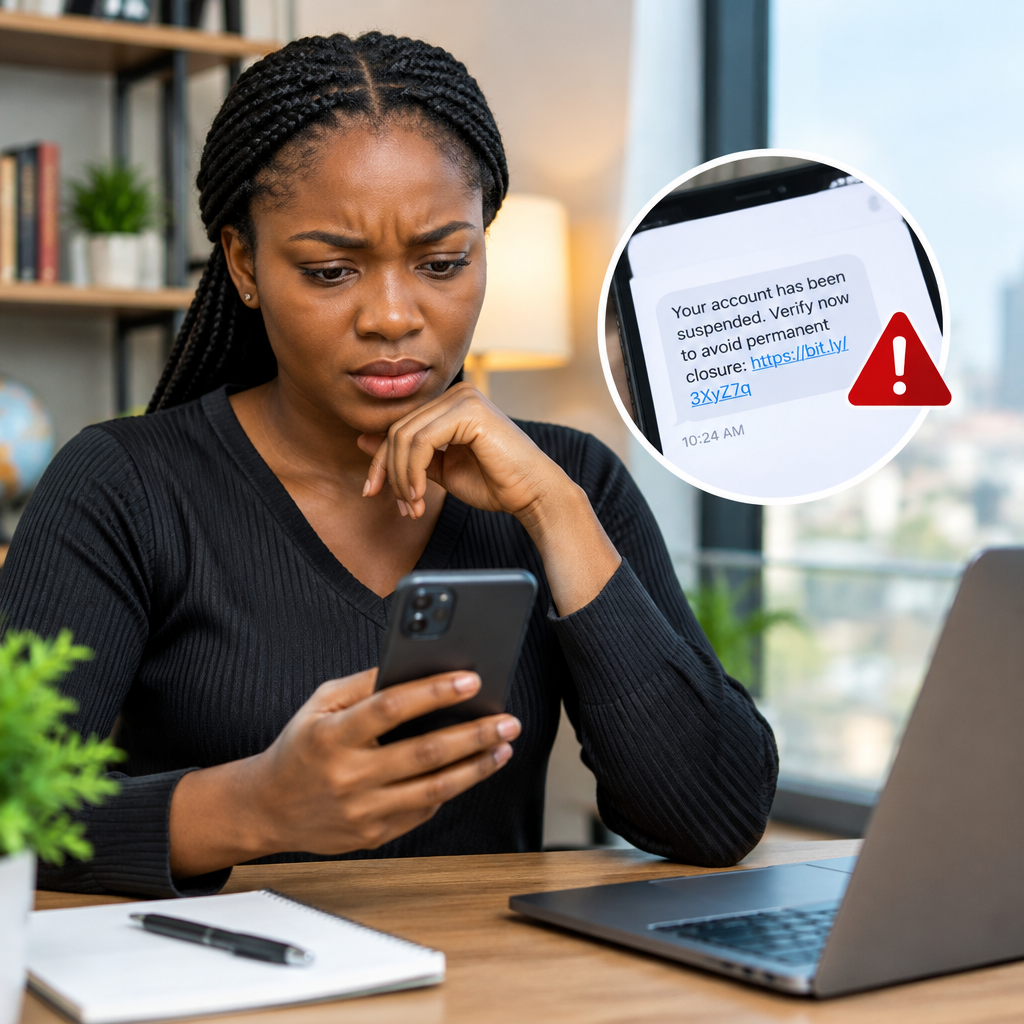
An SMS link can take you to a genuine service, but it can also lead to a fake website designed to steal your password, card details, OTP or identity information. Scammers commonly send messages about bank accounts, parcels, job opportunities, account warnings, prizes and urgent payments.
Do not open a suspicious link simply to find out where it leads. First inspect the message, check the web address and confirm the claim through an independent channel. If anything feels rushed, secretive or unusually attractive, treat the link as unsafe until you can verify it.
Advertisement
Table of Contents
What makes an SMS link dangerous?
A dangerous link may lead to a phishing page, a fraudulent payment form, malware download or a fake login page. Some scam websites copy the appearance of banks, mobile networks, delivery companies, social media platforms and government services.
The aim is usually to make you enter sensitive information such as:
- Passwords or usernames
- Bank card numbers, expiry dates or CVV numbers
- Banking PINs and one-time passwords
- BVN, NIN or passport details
- Email recovery codes or cryptocurrency wallet recovery phrases
A legitimate organisation should not ask you to disclose a password, ATM PIN, OTP or recovery phrase through an SMS link. Never send these details to anyone, even if the message appears to come from a familiar company.
Start by examining the message
Before touching the link, ask why you received the SMS and whether you were expecting it. A message claiming that a parcel is waiting for you is suspicious if you have not ordered anything. A job, scholarship or financial offer that appears without an application should also be treated carefully.
Look for these warning signs:
- Urgency or threats: The message says your account will be closed, your SIM will be blocked or you must act within minutes.
- Unexpected rewards: You are told that you won money, airtime, a grant or a prize you did not enter.
- Requests for secrecy: The sender tells you not to inform your bank, family or anyone else.
- Requests for payment: You must pay a small fee to receive a prize, secure a job or release a parcel.
- Poor wording: Spelling mistakes alone do not prove a scam, but unusual grammar combined with other warning signs deserves caution.
- Unusual sender information: The SMS comes from an unfamiliar number or a sender name that does not match the organisation.
Remember that a familiar sender name is not absolute proof of safety. Sender details can be imitated, and a legitimate company account can sometimes be misused.
Inspect the web address without opening it
On many phones, you can press and hold the link to preview the address. Do not tap it normally if you already suspect fraud. The preview should show the real destination, not just the name used in the message.
Check the address carefully:
- Look at the main domain name, which is the important part before the first slash after the domain ending.
- Watch for misspellings, extra words, swapped letters and misleading additions.
- Be cautious with shortened links because they hide the final destination.
- Do not assume that https means a website is legitimate. It protects the connection, but scammers can also use secure websites.
- Be careful with addresses containing a familiar name followed by an unrelated domain.
For example, a scammer might create a domain that includes the words “bank,” “delivery” or “support” while the actual registered domain belongs to someone else. Read the address from the end toward the beginning rather than focusing only on the first familiar word.
Verify the claim independently
The safest way to check a message is to avoid using its contact details or link. Instead, open the organisation’s official app by selecting it from your phone, type the known website address yourself or use a trusted contact method.
For a bank or financial service, check your account through the official mobile app or website. Do not use the link in the SMS. If the message concerns BVN, NIN, a payment or account restriction, contact the institution through a verified channel and ask whether the notification is genuine.
For a job, scholarship or travel opportunity, find the organisation’s official website independently. Check whether the same announcement appears there, whether the application route matches and whether the organisation warns about impersonators. Do not pay an unofficial person to “unlock” an opportunity or guarantee approval.
For a delivery message, review your order through the shop or courier’s official platform. A genuine parcel should normally relate to an order you can already identify.
Use a safer way to visit the service
If you need to sign in or make a payment, do not follow the SMS link. Open the official app or enter the organisation’s known web address yourself. You can also use a bookmark that you created previously, provided you are confident it points to the correct site.
Do not search for a company and click the first advertisement without checking the address. Search results can include misleading adverts and lookalike pages. When possible, use the official app distributed through your phone’s recognised app store, and keep the phone and apps updated.
What to do if you opened the link
Opening a link does not always mean your account has been compromised, especially if you did not enter information or download anything. Close the page and do not interact with it further. Do not call phone numbers displayed on the suspicious page.
If you entered a password, change it immediately using the genuine website or app. If you used that password elsewhere, change it there too. Turn on two-factor authentication where it is available.
If you entered card or banking information, contact your bank through its official contact channel as soon as possible. Ask what protective action is required. Never share your OTP, PIN or full security credentials with someone claiming to help you.
If you downloaded an app or file, disconnect from the internet if necessary, remove the suspicious software and run a security check. If the device behaves unusually, seek help from a trusted technician. Monitor your accounts for unauthorised activity.
A quick decision rule
Use this simple rule before opening any SMS link:
- Pause: Do not act because the message sounds urgent.
- Inspect: Check the sender, wording and complete destination address.
- Verify: Confirm the claim through the organisation’s official app, website or contact channel.
- Proceed safely: If you still need the service, access it independently rather than through the message.
If you cannot verify the sender or the reason for the message, delete it. A missed link is usually less costly than a stolen account, fraudulent payment or exposed identity document.
The safest habit to build
Never let an SMS decide how you access an important account. Treat unexpected links involving money, identity documents, jobs, scholarships, travel or account security as untrusted by default. Verify first, use the official app or website, and keep passwords, PINs, OTPs and recovery phrases private.
Advertisement
