

Advertisement

Advertisement
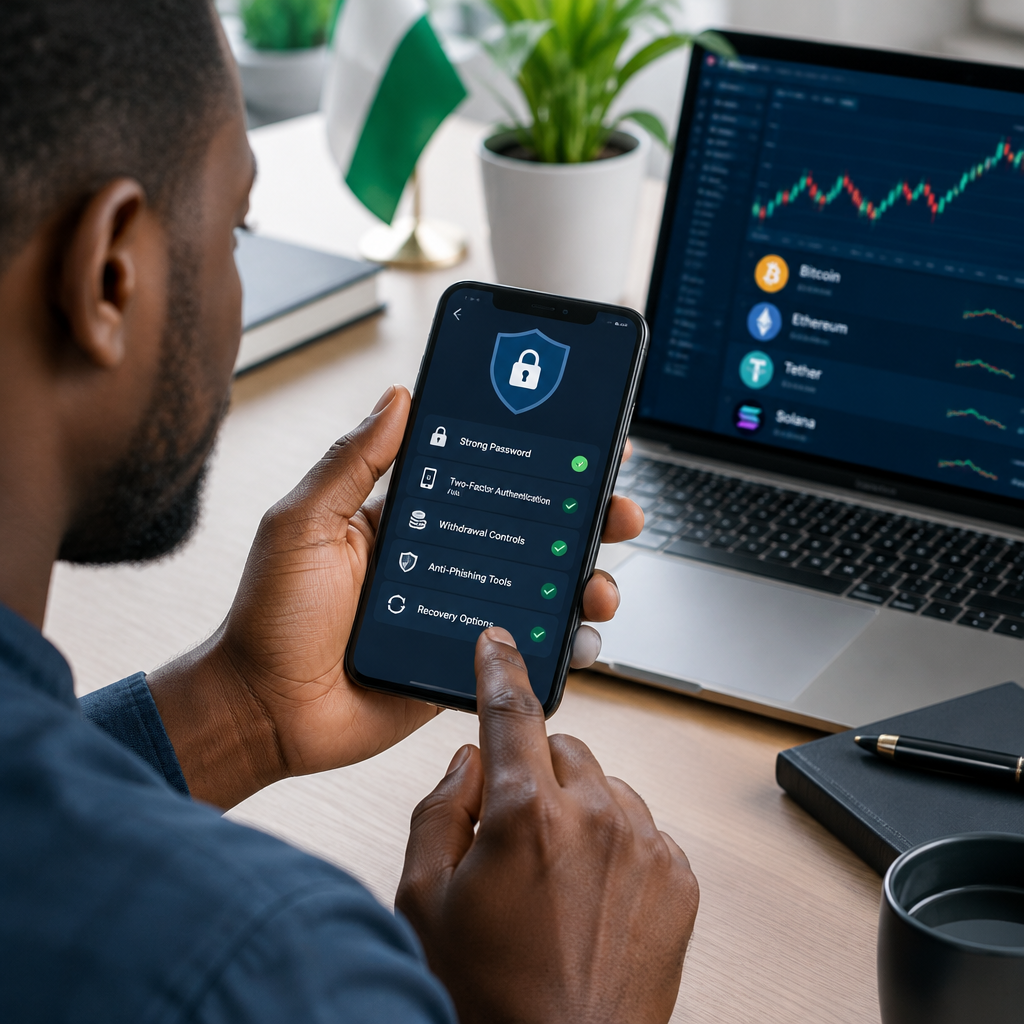
A crypto account can hold money that may be difficult or impossible to recover after a successful theft. A strong password alone is not enough. Scammers may target your email, phone number, identity documents, device or recovery process instead of attacking the crypto platform directly.
The safest approach is to activate several security controls and use them together. This guide is written for beginners, including Nigerians using crypto services from a phone or computer. Platform names and menu locations differ, so treat the steps below as a security framework and confirm the exact instructions in your provider’s official help centre.
Advertisement
Table of Contents
Before changing your security settings
Start with a device and internet connection you trust. Update your phone or computer, install the latest version of the official application and avoid logging in through links sent by strangers on WhatsApp, Telegram, X, Facebook or email.
Open the platform by typing its address yourself, using a saved official bookmark or downloading the application from the recognised app store. Check the spelling of the website and never give another person remote access to your device while you are signing in.
Make a short security plan before you begin:
- Use a private email address dedicated to important financial accounts, if possible.
- Keep your phone, email and identity documents under your control.
- Decide where you will store backup codes safely.
- Confirm how you will regain access if your phone is lost.
1. Create a long, unique password
Your crypto password should not be reused for email, social media, banking, shopping or any other service. If another website suffers a data breach, criminals often try leaked passwords on financial accounts.
Use a long passphrase made from several unrelated words, or allow a reputable password manager to generate and store a random password. Avoid names, birthdays, football clubs, phone numbers, business names and predictable substitutions such as replacing “a” with “@”.
Do not send your password to customer support, a friend or an alleged platform representative. Legitimate support staff should not need to know it. If you believe someone has seen it, change it immediately from the official application or website.
2. Turn on two-factor authentication
Two-factor authentication, or 2FA, requires an additional verification method after your password. This makes it harder for someone to enter the account with the password alone.
In the account’s security section, look for options such as an authenticator application, security key or SMS verification. Where available, an authenticator application or physical security key is generally preferable to SMS because phone numbers can be affected by SIM-swap attacks. However, any properly configured second factor is safer than relying only on a password.
- Install the authenticator application from the official app store.
- Open the platform’s security settings and choose the 2FA option.
- Scan the QR code or enter the setup key as instructed.
- Enter the temporary code to confirm activation.
- Save the emergency or backup codes offline in a secure place.
Never photograph backup codes and leave the image in an easily accessible gallery or cloud account. Do not store them in a public note, chat group or email draft.
3. Protect the email account linked to crypto
An attacker who controls your email may reset your crypto password, approve suspicious activity or intercept security alerts. Your email account therefore needs protection equal to the crypto account itself.
Use a separate strong password for the email account and activate 2FA there as well. Review the email account’s recovery phone number, recovery address, logged-in devices and forwarding rules. Remove devices and recovery methods you no longer recognise.
Be suspicious of messages claiming that your account will be closed unless you verify immediately. Instead of clicking the message, open the official platform directly and check for alerts inside the account.
4. Set withdrawal and transaction protections
Many crypto platforms provide controls that can reduce the damage caused by an unauthorised login. The exact features vary, but check for:
- Withdrawal address allowlists: restrict withdrawals to addresses you have approved.
- Withdrawal locks: delay withdrawals after changing security settings.
- Transaction confirmations: require additional approval before funds move.
- Device or login alerts: notify you about new devices, locations or sessions.
- Anti-phishing codes: display a code in genuine platform emails so you can identify fake messages.
- Session management: show and remove devices currently signed in.
These controls may create extra waiting periods or steps. That inconvenience is usually preferable to allowing an attacker to withdraw funds immediately.
5. Review identity and account activity carefully
Crypto services may request identity or address verification before allowing certain features. Submit documents only through the provider’s official, secure verification process. Do not send identity documents, selfies, passwords or one-time codes to an agent through a private chat.
Regularly review login history, connected applications, API keys, withdrawal history and recent account changes. Delete API keys you do not use. If an API is required for a legitimate tool, give it only the permissions it needs and never enable withdrawal access unless you fully understand the risk.
For readers in Nigeria, be especially careful with people promising to “activate” an account, release a blocked withdrawal or convert funds for a fee. A person who asks for your password, OTP, authenticator code or recovery phrase is attempting to take control, regardless of the logo or profile picture they use.
6. Secure your phone and computer
Use a screen lock, fingerprint or other device protection. Install updates promptly and avoid unofficial applications, cracked software and browser extensions from unknown developers. Keep your browser protected with a unique profile for financial activity if that is practical.
Do not sign in to a crypto account on a public computer. Be cautious with public Wi-Fi, particularly when travelling. If you must use an unfamiliar network, wait until you can use a trusted connection and verify the account afterwards.
Turn off notification previews for security codes if other people can see your phone. Lock your SIM with a PIN where supported, and contact your network provider promptly if your phone suddenly loses service without explanation.
7. Understand recovery phrases and private keys
A recovery phrase or private key can provide direct control over a crypto wallet. Anyone who obtains it may be able to move the assets, and customer support may not be able to reverse the transaction.
Write the phrase down carefully and store it offline in a secure location. Never enter it into a website reached through an unsolicited message, and never save it in a screenshot, cloud drive or online form. Legitimate support should not ask for it.
Test your recovery plan only through the wallet provider’s official instructions. A backup that cannot be found, or that is copied incorrectly, may not help when access is lost.
A simple monthly security check
- Confirm that 2FA is still active.
- Review recent logins, sessions and withdrawals.
- Remove unknown devices, applications and API keys.
- Check the email account and phone number connected to the account.
- Verify that backup codes or wallet backups are safely stored.
- Look for new scam messages impersonating the platform.
What to do if you suspect an attack
Act quickly, but do not panic. Disconnect suspicious applications, change the crypto password and email password from a trusted device, revoke active sessions and API keys, and contact the platform through its official support channel. If your phone number may have been taken over, contact your mobile network provider.
Do not pay someone who promises guaranteed recovery. Save screenshots, transaction IDs, wallet addresses, emails and usernames as evidence, but do not forward passwords, OTPs or recovery phrases to anyone.
The most effective protection is layered security: a unique password, strong 2FA, a protected email account, restricted withdrawals, a secure device and careful handling of recovery information. Crypto transactions can be irreversible, so prevent unauthorised access before funds are moved rather than relying on recovery afterwards.
Advertisement
