

Advertisement
Advertisement
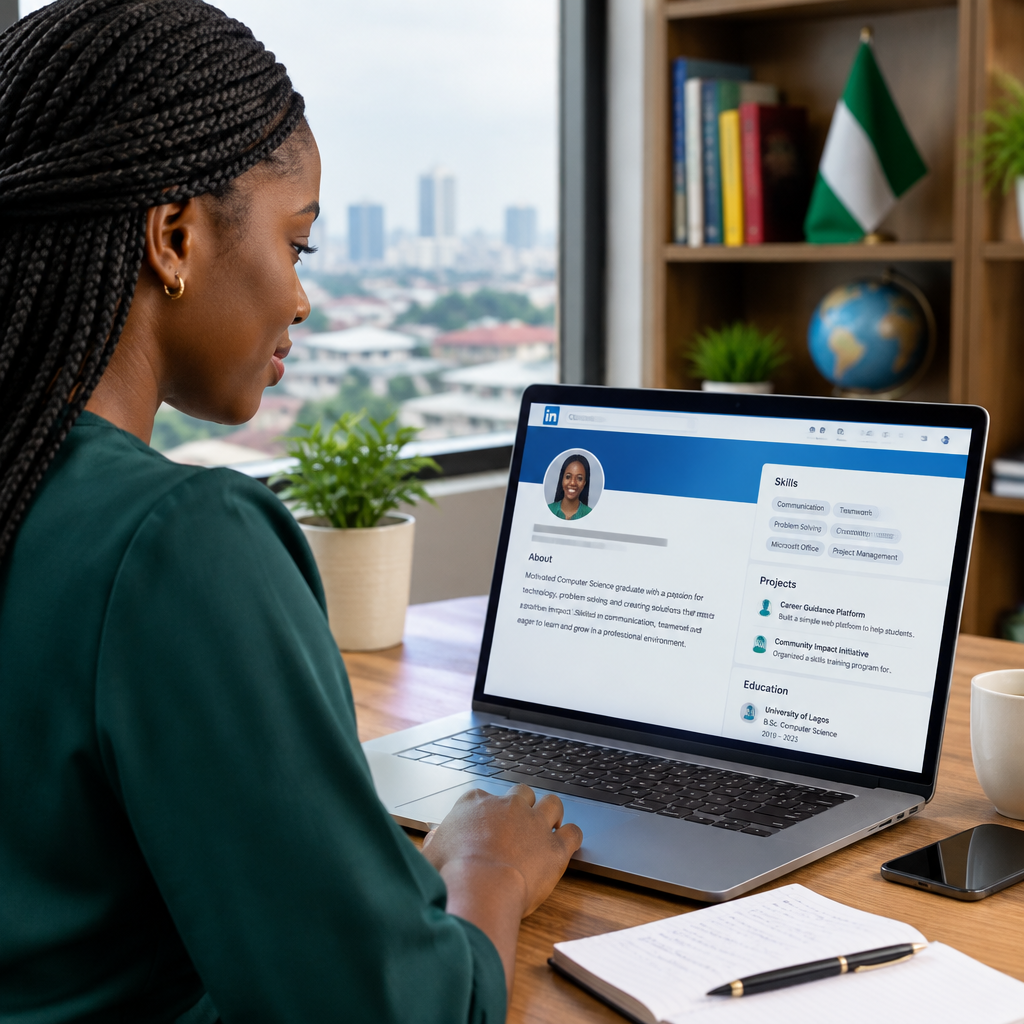
Many students, recent graduates, jobseekers and people changing careers worry that their LinkedIn profile looks too empty because they have limited work experience. The good news is that LinkedIn is not only for senior professionals. It can also help you present your abilities, interests, education and potential.
A strong profile does not pretend that you have experience you do not have. Instead, it clearly shows what you can do, what you have learned, what you are working towards and how you may be useful to an employer, client or professional contact.
Advertisement
Table of Contents
Start with the type of opportunity you want
Before editing your profile, decide what you want it to help you achieve. Your goal may be to find an internship, apply for an entry-level job, attract freelance work, join a creator programme, connect with professionals or learn about opportunities in another country.
This decision affects the words and examples you use. For example, a student seeking a technology internship may focus on web design, troubleshooting, research and personal projects. Someone interested in digital media may highlight writing, social media, video editing, content creation or audience research.
You do not need to choose one permanent career path. However, your profile should give visitors a clear idea of your current direction.
Use a clear, professional profile photo
Your profile photo does not need to be expensive or taken in a studio. It should be recent, clear and suitable for a professional setting.
- Use good lighting so your face is easy to see.
- Choose a simple background without distracting objects.
- Wear clothing that fits the type of work you want.
- Use a photo of yourself rather than a logo, cartoon or group picture.
- Make sure your face is not hidden by sunglasses, a cap or a heavy filter.
A professional photo helps people recognise you when you send connection requests or attend online and in-person events. It does not have to make you look formal; it should simply look genuine and presentable.
Write a headline that says more than “Student”
Your headline appears beside your name in search results, connection requests and comments. If you have limited experience, avoid using only a title such as “Student” or “Jobseeker”. Those descriptions are accurate but do not explain what you can offer.
A useful headline can combine your current status, key skills and career interest.
Examples:
- Computer Science Student | Learning Web Development | Interested in Front-End Projects
- Recent Graduate | Research, Writing and Digital Communication | Open to Entry-Level Opportunities
- Content Creator | Social Media and Short-Form Video | Helping Brands Explain Ideas Clearly
- Business Administration Student | Customer Service and Spreadsheet Skills | Seeking Internship Opportunities
Use ordinary language that recruiters and other professionals are likely to understand. Avoid filling the headline with unrelated keywords or claiming to be an expert when you are still learning.
Turn the About section into a short professional introduction
The About section gives you more room to explain your background and direction. It should answer four basic questions:
- Who are you?
- What are you learning or able to do?
- What type of opportunity interests you?
- What action can someone take next?
A simple structure may look like this:
I am a university student interested in digital media, online services and practical technology. I am developing skills in research, writing and basic content management through coursework and personal projects. I enjoy explaining information in a clear way and am looking for opportunities to support content, communications or digital projects. I am open to connecting with professionals, mentors and organisations working in these areas.
Make the section specific to you. You can mention a course, volunteer activity, personal project, community role or subject you regularly study. Do not copy a generic summary that could belong to anyone.
Present education as evidence of skills
If you have little employment history, your education becomes an important part of your profile. Add your school, course or programme, dates where appropriate and relevant subjects.
You can also include academic work that demonstrates useful abilities. For example, a research assignment may show research and writing skills. A group project may demonstrate teamwork and presentation. A business project may show planning, budgeting or customer research.
Keep the description focused. Instead of writing that you “attended classes”, explain what you studied or produced.
Less useful: Studied mass communication.
Stronger: Completed coursework in news writing, media ethics and audience communication, including written assignments and group presentations.
Include projects, even if they were not paid
Projects are one of the best ways to show ability when you do not have much formal experience. A project may be school-related, personal, voluntary or completed for practice.
Examples include:
- Building a basic website or mobile application.
- Writing articles, creating videos or managing a small social media page.
- Designing a sample business plan or marketing campaign.
- Organising a student event or community activity.
- Creating a spreadsheet, survey, research report or data presentation.
- Helping a small business improve its online presence.
For each project, explain the objective, your contribution, the tools used and the result. You do not need to exaggerate the outcome. A clear description is more credible than impressive but unsupported claims.
For example: Created a three-page practice website using HTML and CSS to improve understanding of page structure, navigation and responsive layout.
List skills honestly and support them with evidence
LinkedIn allows you to list skills, but a long list does not automatically make your profile stronger. Choose skills connected to the opportunities you want and place the most relevant ones first.
Possible skills for beginners include writing, research, customer service, Microsoft Office, Google Workspace, social media management, communication, Canva, basic HTML and CSS, video editing or data entry. Only include a skill if you can explain where you used it or how you are developing it.
You can support skills through project descriptions, education, volunteer work and recommendations. If you are still learning a tool, use wording such as “basic” or “developing” when appropriate. Honest positioning protects your reputation during interviews and practical tests.
Do not ignore volunteering, training and informal experience
Experience does not only come from a full-time job. Volunteer work, campus leadership, apprenticeships, short courses, community responsibilities and freelance tasks can all show transferable skills.
Describe what you actually did. “Volunteer” is a starting point, not a complete description. You might have welcomed participants, managed registration, promoted an event, prepared documents, answered questions or coordinated a small team.
Informal digital work can also be relevant. If you help people solve common phone or application problems, create online content or manage an online shop, explain the tasks and tools involved. These examples may be especially useful for Nigerians building careers in digital media, online services, e-commerce and technology.
Build credibility without overstating your background
A professional profile should be accurate from the beginning. Do not invent employers, certificates, job titles, achievements or recommendations. Avoid calling yourself a specialist if you have only watched a few tutorials.
Instead, show progress. Add completed courses only when you genuinely completed them, and check that the provider is legitimate before sharing personal information or paying a fee. Be careful with online opportunities that demand payment for guaranteed employment, certificates or selection.
You can also share useful posts related to your interests. For example, you might summarise something you learned about online safety, explain a simple technology process or reflect on a project. Your posts should be useful and respectful, not copied from other people.
Connect with purpose
Start by connecting with classmates, lecturers, former colleagues, community members and professionals whose work genuinely interests you. Personalise your request when possible.
A short message is enough: Hello, I am learning about digital media and online services and found your work interesting. I would be glad to connect and learn from your updates.
Do not immediately send private documents, passwords, bank details, OTPs or payment to someone who contacts you through LinkedIn. Treat unexpected job offers and requests for money carefully, and verify organisations through trustworthy official channels.
A simple profile review before you publish
- Does your headline explain your direction?
- Is your photo clear and appropriate?
- Does the About section sound like a real person?
- Have you included projects, education or volunteering?
- Can you support each important skill with an example?
- Are your dates, names and descriptions accurate?
- Is your contact information safe to share publicly?
- Would a stranger understand what opportunity you want?
After publishing, review the profile every few months. Add new projects, courses, responsibilities and examples of work as you gain them. A LinkedIn profile with limited experience is not meant to look complete forever; it should show steady, truthful development.
The strongest beginner profile does not try to hide a lack of experience. It makes learning, ability and direction visible. If you clearly explain what you have done and what you want to do next, employers and professional contacts have a reason to take your potential seriously.
Advertisement