

Advertisement

Advertisement
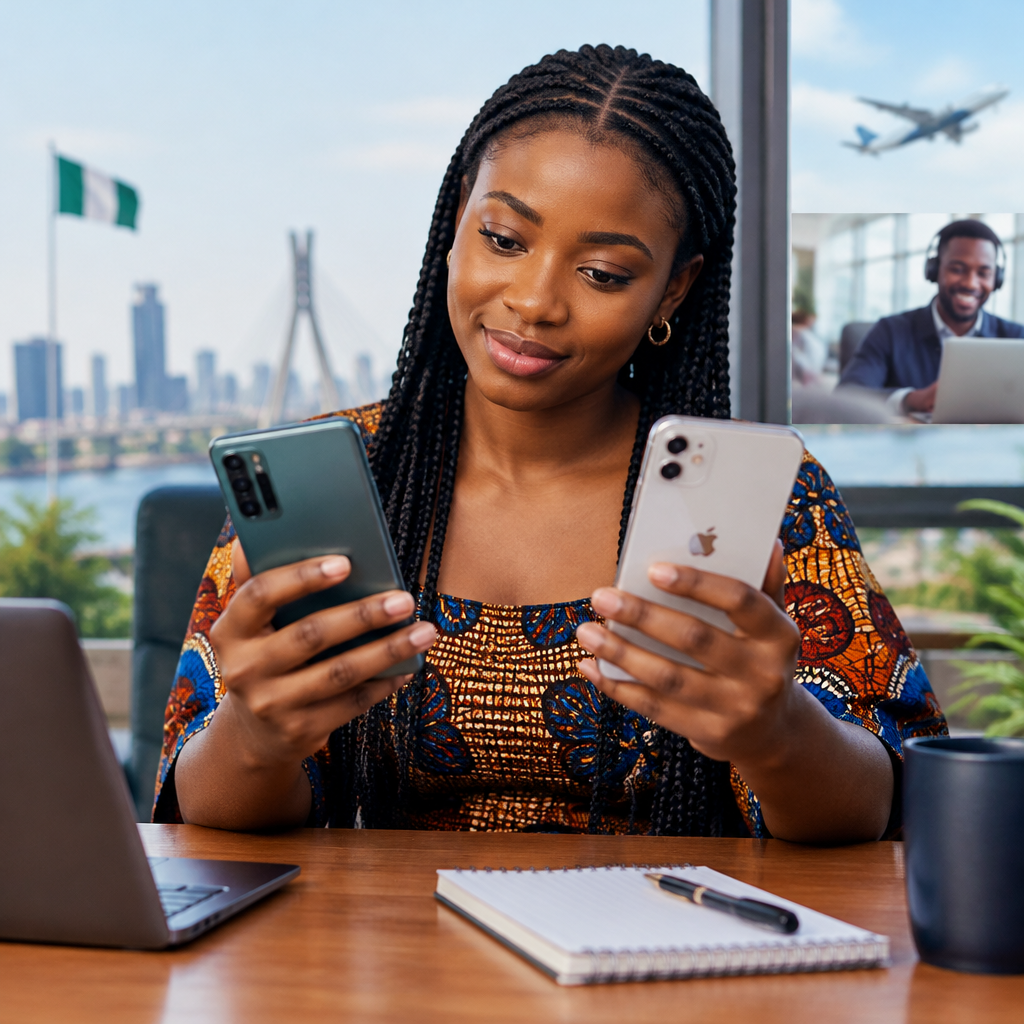
For many Nigerians, choosing between Android and iPhone is not only about camera quality or status. The more practical question is: which phone will be easier to use every day for calls, WhatsApp, banking, schoolwork, business, entertainment and online services?
The short answer is that iPhone is usually easier for people who want a consistent, simple experience. Android is often easier for people who want more choice, lower entry prices, flexible settings and easier access to different devices and accessories.
Advertisement
Neither platform is automatically better for everyone. Your budget, previous phone, preferred apps, repair options and comfort with technology should guide the decision.
Table of Contents
What makes a phone “easy” to use?
Ease of use involves more than how quickly you can make a call. Consider these everyday tasks:
- Setting up the phone and moving contacts, photos and chats
- Installing and updating applications
- Using WhatsApp, email, social media and online banking
- Managing mobile data, battery life and storage
- Connecting accessories such as chargers, earbuds and smartwatches
- Getting help when something stops working
- Repairing or replacing the phone at a cost you can manage
A phone can be technically powerful but still frustrating if its menus are confusing, storage fills quickly or a repair is difficult to arrange.
Why iPhone may feel easier
A consistent interface
Apple controls both the iPhone hardware and its operating system. As a result, iPhones generally have a more consistent layout and user experience across models. Once someone learns how to use one recent iPhone, moving to another iPhone is usually straightforward.
Settings, notifications, privacy controls and application permissions are organised in a fairly predictable way. This can help beginners, older users and people who do not want to spend time adjusting technical options.
Long-term software support
iPhone users generally receive software updates directly from Apple rather than waiting for a phone manufacturer or network provider to adapt the update. This makes the update process more uniform.
Updates can improve security and add features, although an older iPhone may not support every feature available on a newer model. Users should also keep enough free storage for updates and backups.
Simple device-to-device experience
If your family, school or workplace uses Apple devices, features such as shared services and device synchronisation may make everyday tasks more convenient. However, many common services used in Nigeria—including WhatsApp, Gmail, Zoom and major social platforms—also work on Android, so an iPhone is not required for ordinary communication.
Where Android may be easier
More choice at different budgets
Android is available on phones from many manufacturers. This means buyers can choose from basic, mid-range and premium devices with different screen sizes, cameras, battery capacities and storage options.
For a student, new worker or small business owner who needs a reliable phone without paying for a premium device, Android offers more possible price points. The important step is to compare the actual model rather than assuming every Android phone performs the same way.
Flexible settings and file management
Android often gives users more control over default applications, file access, home-screen layouts and notification behaviour. This flexibility can be useful for people who download documents, transfer files between devices or use several services for work.
It can also create confusion. Different manufacturers may change the names and locations of settings. A Samsung phone, for example, may organise some options differently from a Tecno, Infinix, Xiaomi or Google phone. The exact menus also depend on the model and software version.
Familiar charging and accessories
Many Android phones use USB-C charging, although buyers should confirm the connector on the specific model. Having a commonly available cable can be convenient when travelling, sharing a charger or replacing a damaged accessory.
iPhone models and accessories can differ by generation. Before buying a cable, power adapter or protective case, confirm that it matches the exact phone model.
Everyday Nigerian tasks: how the platforms compare
| Everyday need | Android | iPhone |
|---|---|---|
| Choosing a phone within a limited budget | Usually offers more brands and price options | Fewer models, with many positioned at the premium end |
| Simple, consistent menus | Can vary by manufacturer | Generally more consistent across models |
| WhatsApp and social media | Widely supported | Widely supported |
| Customising the home screen and defaults | Usually more flexible | More controlled and consistent |
| Repair and replacement choices | Many models and parts markets, but quality varies | Repair options and genuine parts may be more limited or expensive depending on the model |
| Security management | Strong when kept updated and used carefully | Strong when kept updated and used carefully |
This table is a general guide, not a guarantee. The quality of a particular phone depends on its age, software support, battery condition, storage and manufacturer.
Banking, payments and account security
Both Android and iPhone can support everyday digital services such as bank applications, payment platforms, email, online shopping and authentication tools. What matters most is whether the official application supports your phone’s operating system and whether your device remains updated.
When using financial applications on either platform:
- Install apps from the official app store where possible.
- Check the developer name before downloading.
- Do not share your PIN, password, one-time password or card details with anyone claiming to offer support.
- Use a strong screen lock and avoid leaving banking apps open on an unlocked phone.
- Be cautious with links sent through unsolicited messages, even when they use familiar names or logos.
A more expensive phone does not remove the risk of phishing, fake applications or social engineering. Safe habits are more important than the logo on the back of the device.
What about battery, storage and mobile data?
Battery performance depends on the model, battery health, screen brightness, network signal, application activity and age. A large battery does not guarantee longer daily use, and an older phone may drain quickly regardless of its original specifications.
Storage is especially important if you use your phone for football videos, photos, business documents, offline music or social media. Before buying, check how much storage is available after the system and pre-installed applications are included. Also check whether the device supports expandable storage, rather than assuming it does.
For mobile data, review which applications are allowed to use background data. Automatic video playback, cloud backups and application updates can consume data without obvious warning on either platform.
Which option is better for different users?
Choose Android if you:
- Need several device choices within a specific budget.
- Want more control over settings, files and the home screen.
- Prefer to compare battery, camera and storage features across brands.
- Want a phone that is easier to replace with another brand at a similar price.
- Are comfortable checking specifications and learning manufacturer-specific menus.
Choose iPhone if you:
- Prefer simple menus and a consistent experience.
- Want software updates managed through one main company.
- Already use Apple devices or regularly share services with Apple users.
- Prefer not to compare many different Android interfaces.
- Can comfortably budget for the phone, accessories and potential repairs.
A practical buying process
- List your daily tasks. Include banking, WhatsApp, work applications, school platforms, navigation, video, photography and document use.
- Set a complete budget. Include a case, charger, screen protection, data use and possible repairs—not only the phone price.
- Check compatibility. Confirm that your essential applications work with the phone’s operating system and software version.
- Inspect storage and battery condition. This is particularly important when buying a used or older device.
- Buy from a trustworthy seller. Check the device condition, warranty terms, network compatibility and whether the phone is locked to another account.
- Secure it immediately. Set a screen lock, enable available account-recovery and security features, and install updates before storing sensitive information.
The useful takeaway
For the simplest and most consistent experience, iPhone is often the easier choice. For flexibility, wider price options and greater control, Android is often the more practical choice for Nigerian users.
The best decision is not the phone that looks most impressive. It is the one you can afford to maintain, update, protect and use comfortably for the tasks that matter most to you.
Advertisement
