

Advertisement

Advertisement
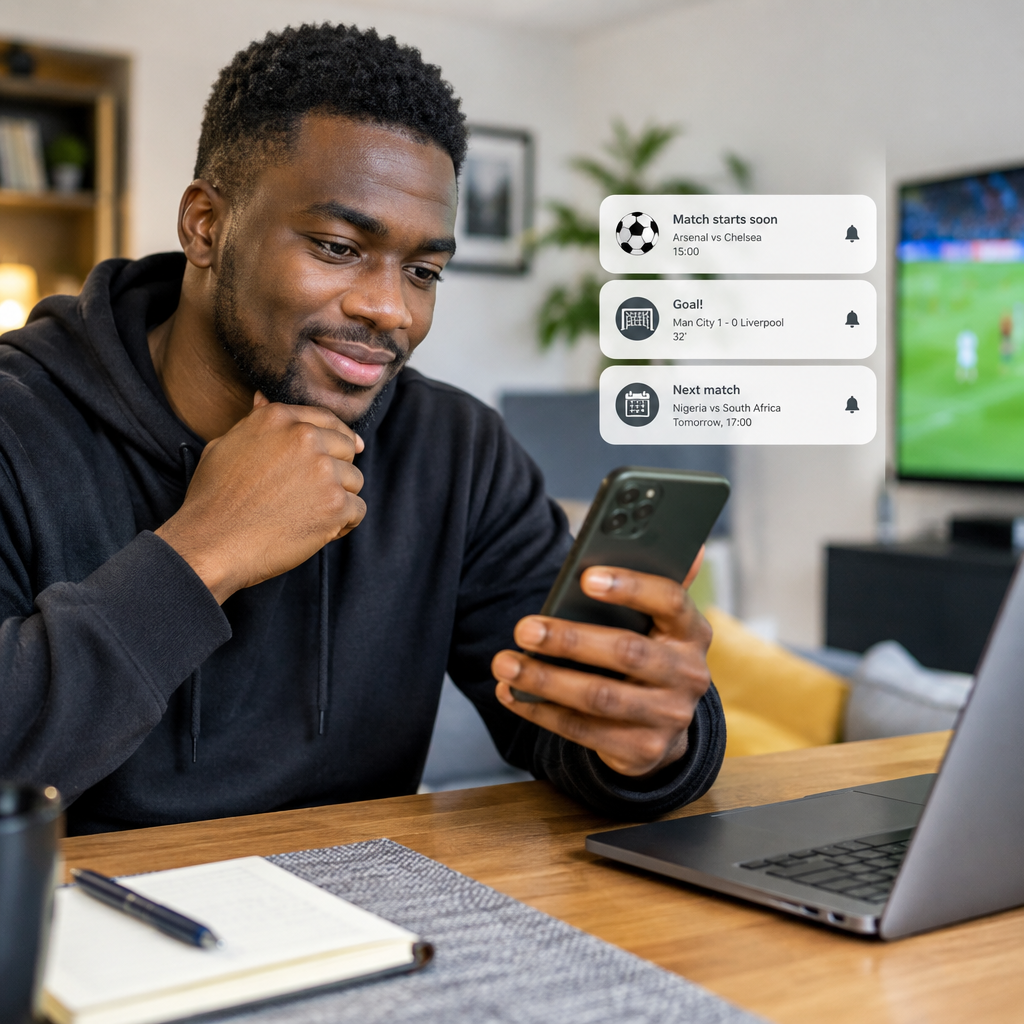
Football alerts can help you follow a match when you are working, travelling, studying or unable to watch live. However, poorly configured notifications can quickly become annoying. Too many alerts may fill your phone with updates from competitions, teams and players you do not care about, while too few may cause you to miss kick-off, goals or important team news.
The best approach is to choose alerts based on what you need to know and when you need to know it. A casual supporter may only need a reminder and the final score. A serious fan, fantasy football player, journalist or football content creator may want line-ups, substitutions, cards and live statistics.
Advertisement
This guide explains the main types of football match notifications, how to choose them, and how to avoid common problems when using livescore apps, sports websites and phone notifications.
Table of Contents
Start with the alerts you actually need
Before enabling every available option, ask yourself one question: What would I be disappointed to miss? Your answer should determine your notification settings.
Most football alert services offer some combination of the following:
- Match reminders: A notification before a scheduled match begins.
- Kick-off alerts: A message when the match starts.
- Line-up alerts: Starting players and substitutes, usually released before kick-off.
- Goal alerts: Notifications when either team scores.
- Half-time and full-time alerts: Updates when a half or the match ends.
- Card alerts: Information about yellow or red cards.
- Substitution alerts: Updates when players enter or leave the pitch.
- Match-status alerts: Updates about postponements, delays, extra time or penalties.
- Team news alerts: Broader updates about a club or national team.
You do not need all of them. For many readers, match reminders, goals and final results provide enough information.
A practical alert setup for different types of fans
The occasional football follower
If you mainly follow major matches or want to check results after work, keep notifications simple. Select your favourite teams or competitions, then enable:
- A reminder before the match
- Kick-off notification
- Full-time result
Goal alerts can be useful, but they may become disruptive if you follow several matches at once. You can check the live score manually when you have time.
The dedicated club supporter
If you follow one club closely, enable alerts for its fixtures, line-ups, goals, substitutions and final results. Match-status notifications are also valuable because fixtures can change due to postponement, venue issues or competition scheduling.
It is usually better to follow one club closely than to activate every alert for an entire league. Following all teams may create a stream of messages that hides the updates that matter most.
The multi-league football fan
Fans who follow European competitions, African football, international matches and local leagues should organise alerts carefully. Create separate favourites for teams and competitions if the service allows it. For example, you might choose:
- Goal and final-score alerts for most competitions
- Full alerts only for your favourite club
- Match reminders for important international fixtures
- No card or substitution alerts unless you are watching closely
This arrangement reduces notification overload while still keeping you informed about several competitions.
The football creator or information publisher
Creators and digital publishers may need faster updates, but notifications should not replace verification. A goal alert is an indication that an event has been recorded by a service; it is not always enough information for a detailed post.
Before publishing a claim about a match, check the competition, teams, match status and available official or reliable match information. This is particularly important when covering fixtures followed by Nigerians at home and abroad, because users may be relying on your update to understand what happened.
Choose the right timing
Timing is one of the most important parts of a useful alert system. A reminder several hours before a match may be easy to ignore, while a notification shortly before kick-off may be more helpful.
Consider using:
- An early reminder if you need time to arrange your schedule or internet connection.
- A short pre-match reminder if you only want to remember the kick-off.
- A line-up alert if player selection affects your interest in the match.
- A final-score alert if you are unavailable during the game.
Some services may use the time zone saved on your phone or account. If you are travelling, studying abroad or following matches from Nigeria, check that the displayed time is correct. A wrong time-zone setting can make a reliable alert appear to be early or late.
Understand the difference between team and competition alerts
There are two common ways to follow football information: by team or by competition.
Team alerts are useful when you want updates about one club or national team across different tournaments. This is often the best choice for a dedicated supporter.
Competition alerts are useful when you want to monitor every match in a league, cup or international tournament. They can be helpful during a busy football period, but they may generate many notifications in a short time.
If your phone becomes crowded with updates, keep team alerts for the clubs you care about most and reduce competition alerts to reminders or final results.
Use a simple decision framework
When choosing an alert, classify it according to its value:
| Alert type | Best for | Possible drawback |
|---|---|---|
| Match reminder | People who do not want to miss kick-off | Can be repetitive for fixtures you do not watch |
| Line-up | Serious supporters and analysts | May arrive close to the match and add little value for casual fans |
| Goal | People checking matches remotely | Can interrupt work or study, especially across many games |
| Cards and substitutions | Viewers following detailed live action | Often unnecessary if you only need the result |
| Full-time result | Busy readers and occasional followers | Does not explain how the match developed |
A useful rule is to enable an alert only when it helps you make a decision: whether to start watching, check a score, prepare a report or discuss the match.
Reduce notification overload
If alerts are becoming distracting, do not uninstall the service immediately. First, review its settings.
- Remove teams and competitions you no longer follow.
- Turn off alerts for minor events such as every card or substitution.
- Keep goal alerts only for matches you are actively following.
- Use silent notifications where your phone supports them.
- Disable duplicate alerts from different football apps.
- Check the app’s notification categories in your phone settings.
Android and iPhone devices may group notification controls differently, and the exact names can vary by app. If an alert keeps appearing after you disable it inside the app, review the phone’s own notification settings as well.
Do not treat every alert as the complete story
Football notifications are designed for speed, not full explanation. A score may be changed after a review, a match may enter extra time, or an event may be recorded before all details are available. Delays can also occur because different services receive and process match information at different speeds.
For important updates, open the match centre and check the full status. If you are preparing a news or social-media post, verify the event before presenting it as confirmed. Avoid turning an early notification into a claim about a player’s injury, referee decision or tactical reason unless that information is clearly supported.
Protect your phone and personal information
Use established football services and download apps through trusted app stores. Be cautious when a notification leads to a website asking for your password, payment details or verification code. A football alert should not require you to share an OTP, banking PIN or account recovery information.
Some unofficial pages use dramatic football headlines to attract clicks or spread harmful links. If an alert looks suspicious, close it and access the football service directly through its official app or website instead of following the message.
A balanced setup that works for most people
For many football followers, a practical starting point is:
- Match reminders for selected teams
- Line-up alerts for your main club
- Goal alerts only for matches you are watching or closely following
- Full-time results for other selected fixtures
- Match-status alerts for postponements and delays
After using this setup for a few days, remove anything that does not help. The aim is not to receive the most notifications. It is to receive the right information at the right time, whether you are checking Nigerian football updates, following an international club or monitoring a match while away from your screen.
The best football alert system is personal and selective. Begin with reminders, goals and final scores, then add line-ups or detailed events only when they serve a clear purpose. A smaller stream of relevant notifications is more useful than a constant flood of updates.
Advertisement
