

Advertisement
Advertisement
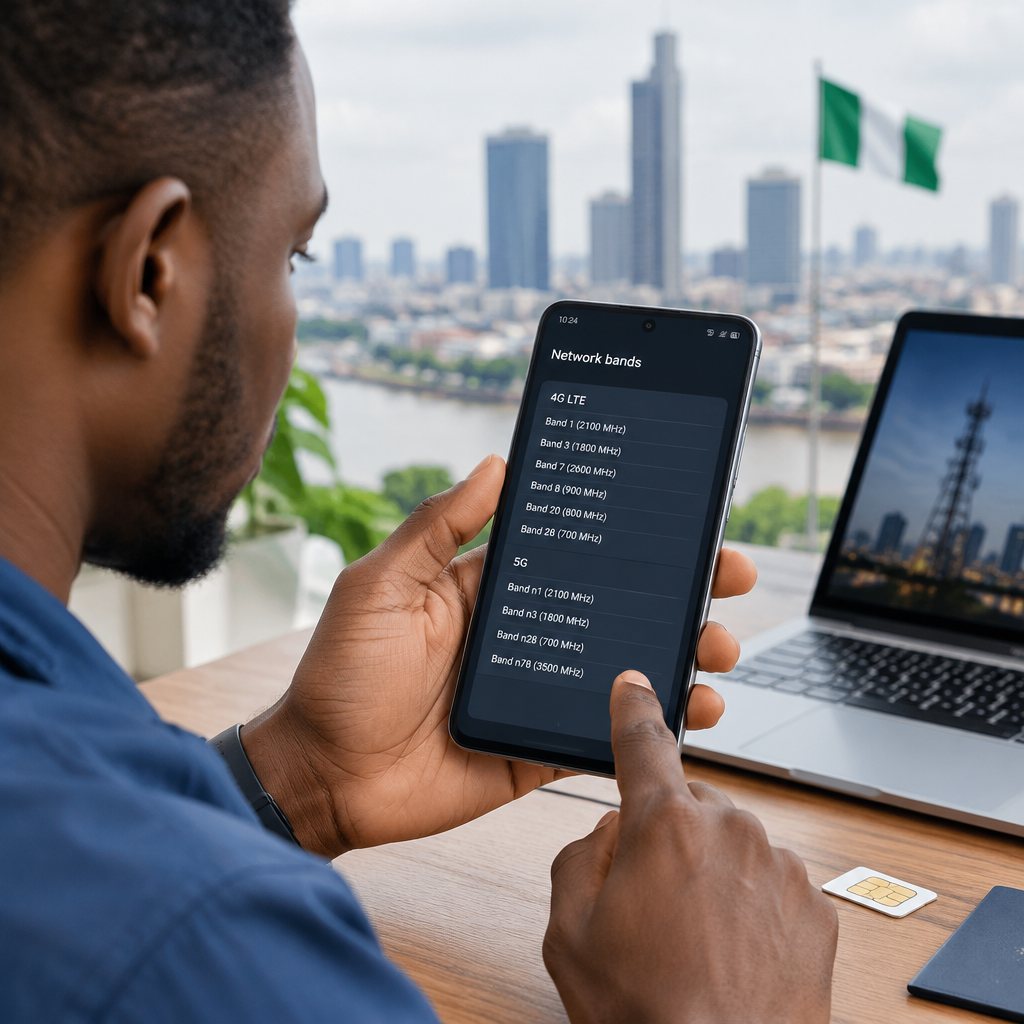
If your phone shows weak signal, remains on 3G, or cannot connect to 4G or 5G in Nigeria, the problem may be band compatibility. A phone can accept a Nigerian SIM card and still lack the radio bands needed for reliable mobile data.
The safest way to check is to identify the phone’s exact model and compare its supported LTE or 5G bands with the bands used by your network in the places where you will use the phone. Do not rely only on the phone name, such as “Galaxy S22” or “iPhone 13”, because the same model may have different regional variants.
Advertisement
Table of Contents
What is a network band?
A network band is a specific range of radio frequencies used by a mobile network. Phones and networks must support the same band for a particular connection to work.
For example, a specification may list:
- LTE Band 3, also written as B3 or 1800 MHz
- LTE Band 8, also written as B8 or 900 MHz
- LTE Band 20, also written as B20 or 800 MHz
- 5G n78, which is commonly associated with the 3.5 GHz range
“4G” and “5G” describe the network technology, while the band describes the frequency used by that technology. A phone may support 4G but not the particular 4G band available in your area.
Step 1: Find the exact phone model
Start with the complete model number, not just the brand and marketing name. Regional versions can have different modems and band support.
On Android phones
- Open Settings.
- Tap About phone, About device or a similar option.
- Record the Model name and, most importantly, the Model number.
The model number may look like a combination of letters and numbers. It can also appear on the original box, purchase invoice or the manufacturer’s support page.
On an iPhone
- Open Settings.
- Select General, then About.
- Record the Model Name, Model Number and, where useful, the Model Identifier.
Tap the part number next to “Model Number” if you need to reveal the longer model code. iPhones sold in different regions can have different model numbers even when they share the same commercial name.
Step 2: Check the manufacturer’s band list
Search for the exact model number followed by “LTE bands” or “5G bands”. Prefer the phone manufacturer’s official specification page. If that page is difficult to find, reputable technical databases can help, but compare their information with the manufacturer’s documentation before buying.
Look specifically for entries labelled:
- 4G LTE bands or FDD-LTE
- 5G bands, usually shown with an “n”, such as n78
- Network or cellular connectivity
Do not treat Wi-Fi bands, Bluetooth frequencies or the phone’s processor information as mobile network bands. They are different specifications.
Which bands should you compare in Nigeria?
Nigerian operators use a mixture of mobile bands, and the available band can vary by operator, location and network generation. LTE Band 3, also written as 1800 MHz, is an important band to look for on many compatible phones. Band 8, or 900 MHz, may also be relevant for coverage and 4G availability. Some phones and networks may use other bands as well.
For 5G, check the operator’s current coverage information and supported spectrum rather than assuming that every Nigerian 5G network uses the same band. A phone that supports 5G in another country is not automatically compatible with every 5G service in Nigeria.
The practical comparison should look like this:
| What you find | What it means |
|---|---|
| Phone supports LTE B3 and the network uses LTE B3 | The phone has the required LTE band, subject to coverage and other conditions. |
| Phone supports 4G but not the network’s available LTE bands | It may fall back to 3G, 2G or show no usable mobile data. |
| Phone supports 5G but not the required 5G band | It may use 4G instead of 5G. |
| Phone supports the band but still has poor service | Coverage, congestion, SIM settings, carrier approval or a hardware problem may be responsible. |
Step 3: Check the network’s coverage and band information
Visit the official website or customer-support channel of your chosen Nigerian network and check its current coverage information. If the question concerns 5G, confirm that 5G service is available in your city or area and that the operator supports the phone’s relevant 5G band.
Coverage maps are useful, but they are not a guarantee of service inside every building. Walls, distance from a cell site, congestion, weather conditions and local terrain can affect performance.
If you are choosing between MTN, Airtel, Glo and 9mobile, check each network separately. A phone that performs well with one operator may behave differently with another because their coverage and deployed bands are not identical.
How to check the bands your phone is using
Some Android phones display technical network information through testing menus, but the method differs by manufacturer and software version. Certain dial codes found online may not work, and entering unknown service-menu settings can change important configurations.
A safer option is to use a trusted network-information app that displays the connected LTE band, cell identity and signal information. Treat apps as a helpful diagnostic tool, not final proof of compatibility. Check the app’s permissions, install it from a reputable store and avoid apps that request unnecessary access.
On iPhone, field-test information may be available through built-in diagnostic screens, but the layout and available details can change between iOS versions and carriers. The official model specification remains the better way to confirm supported bands.
Band compatibility is not the only requirement
Even when the bands match, mobile data may not work correctly if another requirement is missing.
- SIM and network lock: A phone locked to a foreign carrier may reject or restrict a Nigerian SIM.
- VoLTE support: Voice-over-LTE compatibility can affect calls when an operator relies on 4G for voice service.
- APN settings: Incorrect access-point settings can prevent mobile data even when signal is available.
- SIM configuration: On dual-SIM phones, only one slot may support the fastest network technology, or mobile data may be assigned to the wrong SIM.
- Software updates: Firmware can affect carrier support and network stability.
- Device approval and compatibility: Some imported models may not be fully supported by local operators.
- Coverage and congestion: A compatible phone cannot create coverage where the network has little or no service.
A simple buying check before importing a phone
- Ask the seller for the exact model number and region or country variant.
- Confirm that the phone is unlocked for other networks.
- Check the manufacturer’s official LTE and 5G band list.
- Compare the list with the Nigerian operator and location you intend to use.
- Confirm whether the phone supports VoLTE if reliable calling is important.
- Ask for a return option if the seller cannot demonstrate compatibility.
Be particularly careful with marketplace listings that say only “unlocked”, “global version” or “4G supported”. These descriptions do not identify the actual bands. A screenshot showing the complete model number and network specifications is more useful than a general product title.
What to do if your phone has poor 4G service
First, restart the phone and confirm that mobile data is enabled for the correct SIM. Check the preferred network mode and test the SIM in another compatible phone. If the SIM works elsewhere, compare the two phones’ supported bands.
Also test the phone outdoors or in another location. If service improves significantly, the issue may be building materials or local coverage rather than band compatibility. Contact the network’s official support team if the phone should be compatible but cannot register for 4G or 5G.
Never share your PIN, password, one-time password or full personal account details with someone claiming to be helping you unlock network service. Use the operator’s official app, website, store or customer-care channel.
The key takeaway
To check whether a phone supports a Nigerian network band, identify its exact regional model, read the manufacturer’s LTE or 5G band list, and compare it with the bands and coverage used by your chosen operator. Band compatibility is essential, but an unlocked device, suitable SIM settings, VoLTE support and local coverage also matter. Checking all of these before buying an imported phone can prevent an expensive connectivity problem.
Advertisement