

Advertisement
Advertisement
A dramatic video can look like proof of a breaking event, especially when it arrives with a serious caption on WhatsApp, Facebook, TikTok or X. But the footage may be old, recorded in another country or showing an entirely different incident.
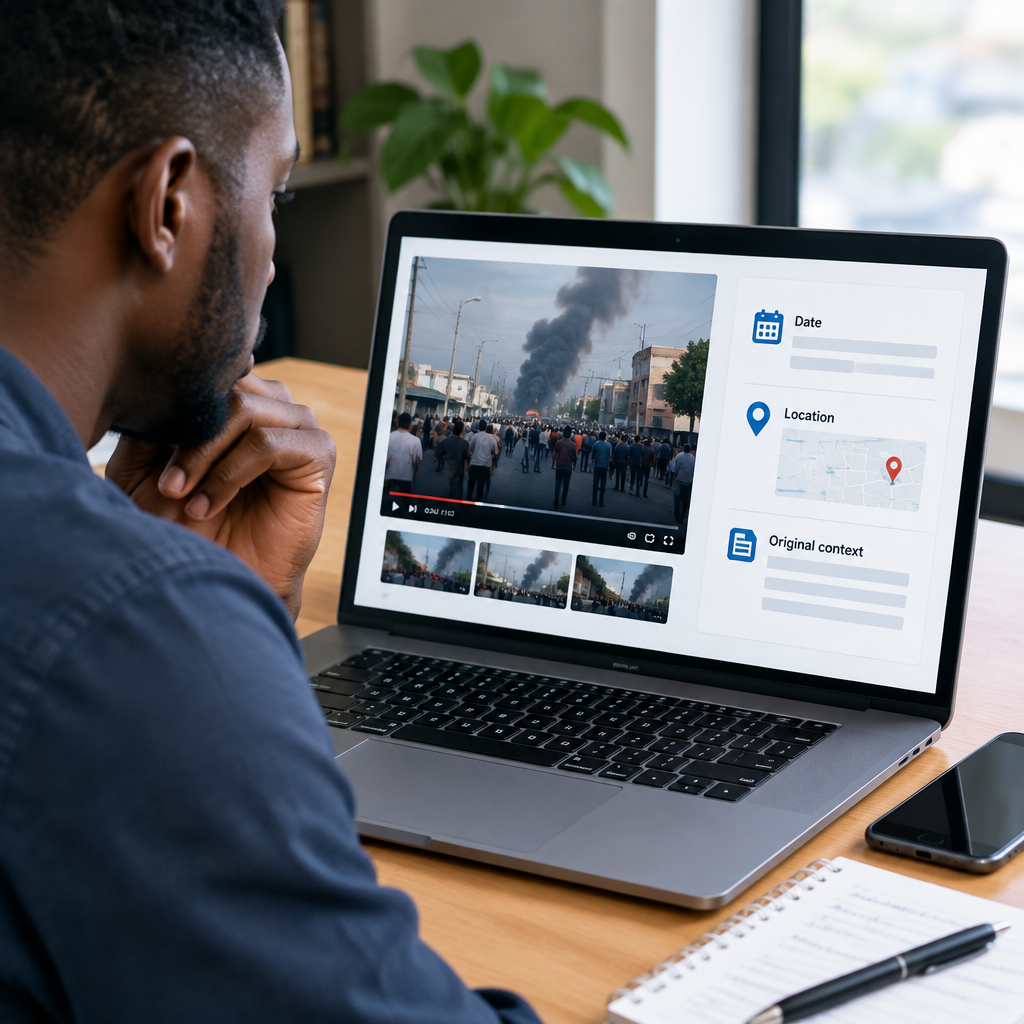
Reusing real footage with a false caption is one of the simplest ways to mislead people online. The video itself may be genuine while the claim attached to it is false. Before forwarding a clip, check three things separately: when it was recorded, where it was recorded and what was actually happening.
Advertisement
Table of Contents
Why a genuine video can still mislead you
People often assume that authentic footage automatically proves the accompanying story. It does not. A video can be:
- Recorded years earlier but presented as a current event.
- Filmed in a different city or country.
- Showing a protest, accident, celebration or disaster unrelated to the caption.
- Edited to remove the beginning or ending that explains what happened.
- Combined with unrelated audio, subtitles or commentary.
- Real footage from one event used to illustrate another.
This matters when people are making decisions about safety, travel, public disorder, politics, health or financial scams. False context can create panic and make it harder to identify genuine news.
Start with the caption, not the video
Read the exact claim attached to the clip. Ask what the person sharing it wants you to believe. Is it claiming that the event happened today? Does it name a location, public figure, organisation or emergency?
Write down the specific details instead of accepting a vague description such as “This is happening now.” A precise claim is easier to verify. For example, “This video shows flooding in Lagos today” can be checked against the date, location and available reporting. “Something serious is happening” is too unclear to test.
Also look for warning signs in the wording. Phrases such as share urgently, the media will not show you this or forward to everyone are not evidence. They are often used to encourage quick reactions before people check the facts.
Pause the video and examine visual clues
Watch the clip more than once. Pause at points where the image is clear and look for details that can establish time or place:
- Road signs, shop names, landmarks and building names.
- Vehicle number plates, road markings and public transport designs.
- Police, military or emergency-service uniforms.
- Flags, languages, phone numbers, currency or election posters.
- Weather, vegetation, clothing and the position of the sun.
- Construction work, banners or other temporary features.
Do not treat one clue as conclusive. A person may be wearing a familiar shirt in an unfamiliar location, and a road may look similar to one in another city. Use several details together.
Video quality can also reveal that a clip has been copied many times, but poor quality does not prove that it is false. A genuine old video may have been compressed after being shared across messaging apps.
Check whether the footage is old
Search for a distinctive phrase from the caption alongside words such as video, fact check, old footage or the claimed location. You can also search for a description of what is visible, such as “fire near blue bridge video”. Try different wording because the original report may use a different description.
If the clip includes a visible headline, watermark or account name, search for that information. Look for earlier uploads and compare their dates. An older upload is not automatically the first publication, but it can show that the footage existed before the event being claimed.
Reverse image search can help when you capture a clear frame from the video. Search several frames, especially those showing signs, buildings or unusual scenes. A single frame may not produce a result if the image has been cropped, mirrored or heavily compressed.
Find the original upload carefully
When you find an earlier version, compare more than the upload date. Check:
- Whether the video has the same beginning and ending.
- Whether the original caption identifies a different place or event.
- Whether the account appears to be a witness, a news organisation or an aggregator.
- Whether comments provide useful location details or merely repeat rumours.
- Whether the account has a history of posting unrelated viral material without sources.
The oldest version you find may still not be the original. A social-media account can repost another person’s work. Treat it as a lead, not final proof.
Compare the claim with reliable reporting
Search for independent reports from identifiable news organisations, public authorities or organisations directly involved in the event. For Nigerian stories, this may include established local newsrooms, relevant government agencies, emergency services, transport authorities, schools, companies or event organisers, depending on the subject.
Look for agreement on the basic facts: the location, date, people involved and type of incident. Independent reports do not need to use the same wording, but they should broadly support the central claim.
Be careful with search results that only repeat the same social-media post. Ten accounts copying one caption do not provide ten independent confirmations.
If the video concerns an immediate threat, do not rely on online debate alone. Follow instructions from appropriate local authorities and use direct, trusted channels where available. Avoid travelling to a dangerous location simply to investigate a viral clip.
Separate what the video proves from what it does not
A video may prove that a particular scene was recorded somewhere. It may not prove:
- Who recorded it.
- When it was recorded.
- What happened immediately before or after the clip.
- Why people were behaving in a particular way.
- That the person named in the caption was involved.
- That the event is still happening.
Write a cautious description while checking. “The video appears to show a crowd near a road, but the date and location are unverified” is more accurate than repeating an unconfirmed accusation.
Watch for editing and audio manipulation
Short clips are easy to misunderstand because important context may have been removed. Sudden cuts, repeated frames, mismatched audio and subtitles that do not match visible speech deserve attention. A voice-over may describe an event that is not shown in the footage.
Edited video is not necessarily fake. Newsrooms regularly shorten footage, and creators may add explanations. The question is whether the editing changes the meaning. Try to locate a longer version or another recording from the same event before drawing a conclusion.
A simple verification workflow
- Save the claim: Record the caption, account name, date shown and link if possible.
- Identify the claim: Write down the alleged place, date, event and people involved.
- Inspect the frames: Pause the video and note signs, landmarks, language and other clues.
- Search distinctive details: Use phrases, names, visible text and possible locations.
- Compare earlier versions: Check whether the same footage appeared before the claimed event.
- Look for independent confirmation: Prefer identifiable sources over copied posts.
- Label uncertainty: If key facts remain unverified, do not present the video as confirmed news.
What to do when you cannot verify it
You do not have to choose between forwarding a video and declaring it false. The responsible option may be to pause. You can tell the sender: “I have not confirmed the date or location, so I will not share it as current news.”
Do not contact people shown in a disturbing video, publish their personal details or accuse someone based only on an unclear clip. Reposting unverified footage can expose ordinary people to harassment, reputational harm or panic.
For readers who follow Nigerian news, football updates, online opportunities and safety information, the same habit applies across subjects: separate the original material from the claim made about it. A real video with a false caption is still misleading.
The safest rule is simple: verify the date, location and event before sharing. If you cannot confirm all three, describe the video as unverified—or leave it alone.
Advertisement