

Advertisement

Advertisement
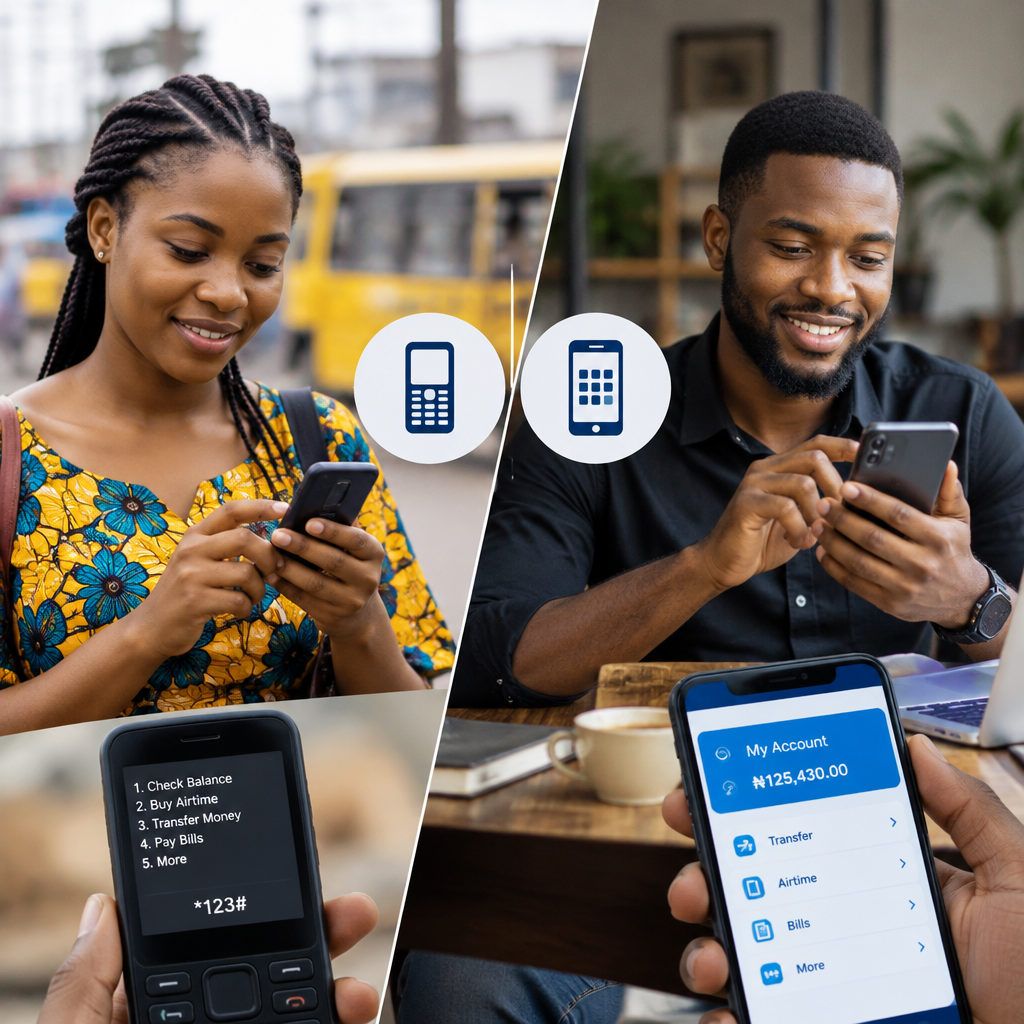
When you need to transfer money, check your balance or pay a bill, should you use your bank’s USSD code or its mobile app? The best choice depends on your phone, internet connection, the transaction you want to complete and how much control you need over the process.
USSD banking is usually more useful when you have limited or no mobile data. A banking app is often better when you want a wider range of services, clearer transaction details and easier access to your banking history. However, neither option is automatically safer in every situation. Your security habits matter just as much as the channel you use.
Advertisement
Table of Contents
What is the difference between USSD banking and a mobile app?
USSD banking uses a short code entered through your phone’s dialler. You select options from menus that appear on the screen. It generally works on both smartphones and basic phones and does not require mobile internet. You may still need network coverage and an active mobile line linked to your bank account.
Mobile banking apps are applications provided by banks for smartphones. They normally require an internet connection, either through mobile data or Wi-Fi. Depending on the bank and the app version, they may allow you to transfer money, pay bills, manage cards, view statements, contact support and perform other banking tasks from a graphical interface.
The exact menu options, transaction limits, authentication steps and supported services vary by bank. Use your bank’s official website, app listing or customer-support channel to confirm the correct USSD code and available features. Do not rely on a code copied from an unverified social media post.
When USSD banking is the better option
1. You have poor or no internet access
USSD is useful when mobile data is unavailable, expensive or unreliable. This can happen while travelling, during a network problem or in an area where internet service is weak but ordinary mobile connectivity still works.
For example, if you need to send money urgently and your banking app cannot connect, the bank’s USSD service may provide an alternative. It is important to remember that USSD is not completely independent of network service. A weak mobile signal can still cause the session to fail.
2. You are using a basic phone
A smartphone is not required for USSD banking. This makes it practical for people who use feature phones, have limited storage or do not want to install another application. It can also be a useful backup option if your smartphone battery is dead or the app has stopped working.
3. You need to complete a simple transaction quickly
USSD can be convenient for straightforward tasks such as checking an account balance, transferring money to a known beneficiary or purchasing airtime. You move through a short menu instead of opening an app, waiting for it to load and navigating several screens.
Speed is not guaranteed, though. USSD sessions can time out, and entering the wrong option may lead to an unsuccessful transaction. Read each prompt carefully before confirming.
When a mobile banking app is more suitable
1. You need a broader range of services
Mobile apps commonly provide more features in one place than USSD menus. Depending on the bank, an app may offer transaction history, account statements, beneficiary management, card controls, bill payments, transfers and profile settings.
This is especially useful for workers, entrepreneurs and online shoppers who need to review several transactions or confirm whether a payment has been completed. A larger screen also makes it easier to inspect names, amounts and references before approving a transaction.
2. You want to review transaction details
USSD is designed for short interactions. A mobile app is generally more convenient when you want to search previous payments, download or view a statement, check the status of a transfer or compare multiple entries.
Keeping track of transactions is important if you operate a small business, receive payments from customers or regularly pay school, household and subscription expenses. Always compare the recipient, amount and transaction reference with your own records.
3. You need to manage cards or account settings
Some banking apps provide controls that may not be available through USSD, such as temporarily disabling a card, managing transaction preferences or updating selected account settings. The available controls depend on the bank, account type and app.
If your card or phone is lost, contact the bank through an official channel as soon as possible. Do not wait until you can access the app if you suspect someone may use your card or account.
USSD banking versus mobile apps
| Situation | Usually more suitable | Reason |
|---|---|---|
| No mobile data or poor internet | USSD | It uses a dialler-based session rather than an internet connection. |
| Using a basic phone | USSD | It does not require a smartphone application. |
| Checking several past transactions | Mobile app | An app normally presents account history more clearly. |
| Making a simple urgent payment | Either | Choose the channel that is working and familiar to you. |
| Managing cards or account settings | Mobile app | Apps may provide more controls, depending on the bank. |
| Travelling with limited connectivity | USSD as a backup | It may work where mobile data is unavailable, provided network service is available. |
Which option is safer?
Both channels can expose you to risk if you reveal confidential information or use an untrusted device. Your bank will not need you to disclose your PIN, one-time password, full card details or app password to “reverse” a transaction through a caller or message.
For USSD banking, protect your transaction PIN and avoid completing sensitive transactions where someone can watch you enter information. If your phone or SIM is lost, contact your mobile network provider and bank promptly. A phone number linked to your bank account should be treated as part of your financial security.
For mobile apps, install the application only from the bank’s official website or the recognised app store listing that matches the bank. Keep your phone’s operating system and banking app updated, use a screen lock and avoid banking on an unfamiliar or public device. Do not click banking links sent in unexpected messages; open the app directly instead.
A practical decision process
Before choosing a channel, ask four questions:
- Is your internet connection working? If not, try the official USSD channel if your bank supports it.
- Is the transaction simple or detailed? A basic balance enquiry may suit USSD, while reviewing a statement is usually easier in an app.
- Are you certain about the recipient? Check the account name and amount before confirming through either channel.
- Do you need proof or a record? Use the channel that lets you verify the status and retain the transaction reference.
If a transaction fails or your account is debited without the recipient receiving the money, do not repeat the transaction immediately unless you have confirmed its status. Save the reference, note the time and contact the bank through an official support route.
Why it helps to keep both options available
USSD and mobile apps are not necessarily competing choices. They can complement each other. A mobile app may be your main channel for regular banking, while USSD serves as a backup during internet problems or when you are using another phone.
This two-channel approach is useful for Nigerians who move between different locations, manage personal and business payments or need access to banking services while travelling. Before an emergency occurs, confirm your bank’s official USSD code, install the legitimate app and learn how to report a failed or suspicious transaction.
The simplest rule is this: choose USSD for basic banking when internet access is unreliable, and choose the mobile app when you need visibility, records or broader account controls. Whichever channel you use, verify every transaction and never share your PIN, password or OTP with anyone.
Advertisement
