

Advertisement
Advertisement
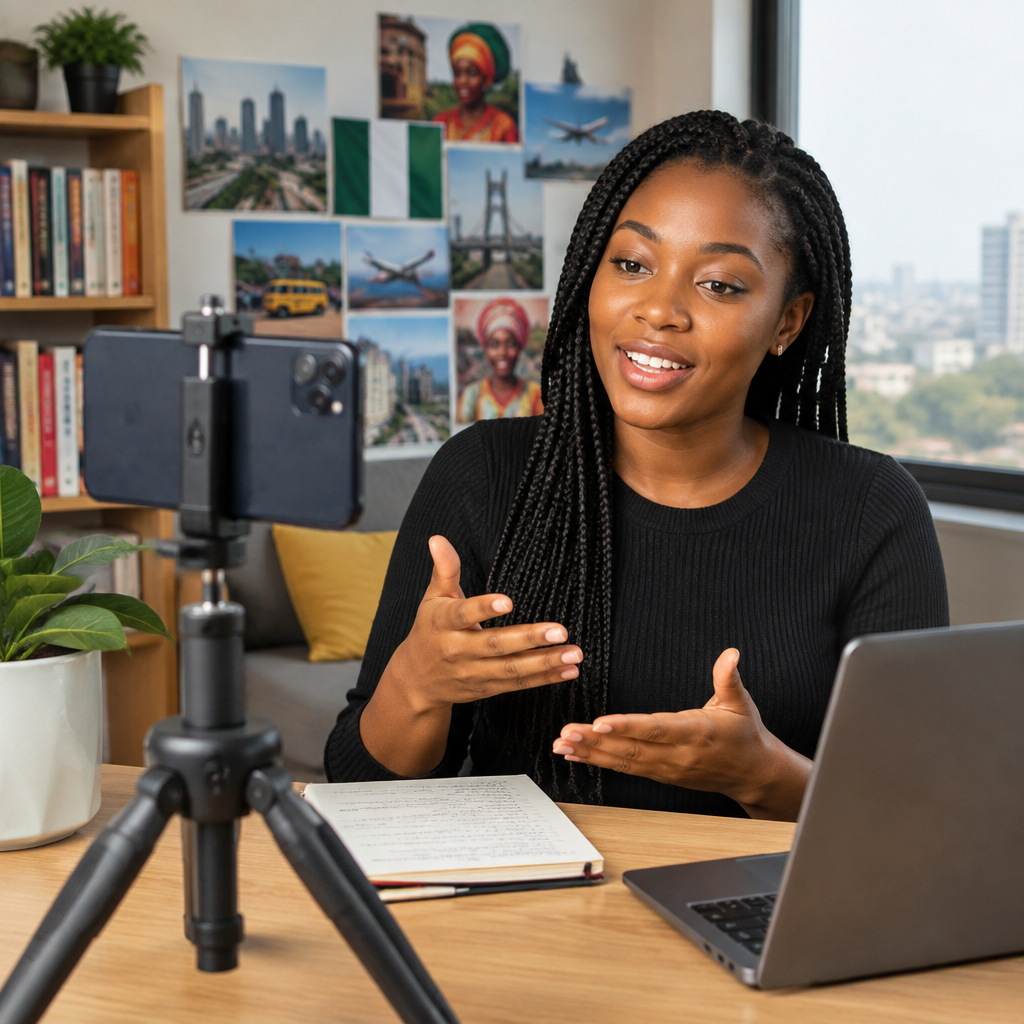
You do not need an expensive smartphone, studio or laptop to start creating useful content. A basic phone can help you record tutorials, explain everyday problems, share educational information, document events, review products or build a small online audience.
The most important equipment is not the camera. It is a clear idea, useful information and a simple way to present it. For Nigerians creating content about phones, online applications, football, education, jobs, travel or everyday services, a basic phone can be enough to get started.
Advertisement
Table of Contents
Start with a problem people want solved
Useful content begins with a question. Instead of asking, “What can I post today?”, ask:
- What problem are people currently facing?
- What do I understand well enough to explain?
- What mistake can I help someone avoid?
- What information would save someone time, money or stress?
For example, you could create a short video showing how to clear storage on an Android phone, explain how to protect an online account from scams, demonstrate how to use a commonly used mobile application or guide students through organising documents for an application.
Choose one audience for each piece of content. A video for first-time smartphone users should not sound like a technical presentation for software developers. Simple, specific content is easier to create and easier for people to understand.
Plan before you press record
A short plan prevents rambling and reduces the number of times you need to record. Write three points before starting:
- The problem: What does the viewer want to solve?
- The useful answer: What should the viewer do?
- The warning or next step: What should the viewer avoid or check afterwards?
For a tutorial about protecting a social media account, your plan could be:
- Problem: the account may be vulnerable to unauthorised access.
- Answer: enable a strong password and available two-step security features.
- Warning: never share an OTP, password, recovery code or private account information.
Do not read a long essay word for word unless you are comfortable doing so. Use short notes or bullet points. This usually makes your delivery sound more natural.
Prepare your basic phone
Before recording, make a few simple checks:
- Clean the camera lens with a soft, dry cloth.
- Charge the battery and close apps you do not need.
- Clear enough storage for video files.
- Turn off notifications that could interrupt the recording.
- Check that the camera is set to the orientation you need.
- Record a short test clip to check the picture and sound.
Video files can use a lot of storage and mobile data. If your phone is almost full, remove unnecessary downloads or move important files before recording. Keep original clips until you have confirmed that the edited version is saved properly.
Improve video quality without buying equipment
Use good light
Light has a bigger effect than many beginners expect. Face a window or stand in a bright area, but avoid placing a strong light directly behind you. If the background is brighter than your face, the camera may make you look dark.
Natural daylight can work well. Avoid harsh midday sunlight on your face if it creates strong shadows. At night, use a steady light placed in front of you rather than relying on a weak light behind the camera or on the ceiling.
Keep the phone steady
Shaky footage can make useful information difficult to follow. Rest the phone against a stable object, use a simple stand, or hold it with both hands and keep your elbows close to your body. When demonstrating something on a table, place the phone securely above or beside the item.
Prioritise clear sound
Viewers may forgive an ordinary picture, but poor sound quickly makes them stop watching. Record away from traffic, loud fans and crowded areas when possible. Move closer to the phone instead of shouting from across a room.
If you are recording a screen tutorial, consider adding a voice explanation afterwards. This allows you to focus on showing each step without trying to speak and operate the phone at the same time.
Choose the right content format
Not every useful idea needs to become a video. Choose a format that matches the information:
| Content idea | Suitable format |
|---|---|
| A quick phone tip | Short video or image with a brief explanation |
| A detailed application guide | Step-by-step video, article or carousel post |
| A personal experience | Talking video or written story |
| A product demonstration | Photos, screen recording or video |
| A developing news topic | Careful update with clearly identified sources |
For instructions, show the action while explaining it. A screen recording can be more useful than a talking-head video when teaching people how to use a website or application. Hide private information before publishing, including phone numbers, email addresses, account balances, passwords and verification codes.
Edit only what improves understanding
Basic editing is enough when you are starting. Remove long pauses, mistakes and irrelevant sections. You can also:
- Add a short opening that states the problem.
- Cut repeated sentences.
- Increase the volume if the recording is too quiet.
- Add simple text for important steps.
- Use captions when possible.
- End with one clear action for the viewer.
Avoid adding too many transitions, effects or loud sounds. They may distract from the information. If your phone has limited storage, edit shorter clips and export the final file at a practical quality rather than keeping several large copies.
Make information trustworthy
Content creators have a responsibility to separate what they know from what they assume. This matters especially when discussing financial services, jobs, scholarships, immigration, online opportunities or current news.
Check important details against the relevant official source before presenting them as fact. Requirements, deadlines, fees, application procedures and app features can change. If something is unconfirmed, say so clearly instead of presenting a rumour as an announcement.
Do not promise guaranteed income, visa approval, scholarship selection or investment profits. Be especially careful with content that asks viewers to send money or personal information. Never ask your audience to post PINs, passwords, OTPs, recovery phrases or full card details in the comments.
A simple publishing workflow
- Choose one specific question.
- Check the information. Use a reliable or official source where the topic is time-sensitive.
- Write three to five points.
- Record a short test. Check light, sound and framing.
- Record the final version. Speak clearly and avoid rushing.
- Edit for clarity. Remove anything that does not help the viewer.
- Review privacy and accuracy. Look for exposed personal information and unsupported claims.
- Publish with a descriptive caption. Tell people exactly what they will learn.
After publishing, pay attention to genuine questions from viewers. Repeated questions can become future content. However, do not allow comments to pressure you into giving private account help or repeating information you have not verified.
Use consistency instead of expensive equipment
Your first goal should be to become clearer, not to look perfect. Publish at a manageable pace, such as one useful tutorial or explanation whenever you have something properly prepared. Keep notes about topics people ask about and improve one part of your process each time.
A basic phone can record the beginning of a useful content journey. Start with a real problem, explain one solution, protect people from avoidable risks and make each post easy to follow. That combination is more valuable than expensive equipment without a clear purpose.
Advertisement