

Advertisement
Advertisement
Sending money to the wrong bank account can be stressful, especially when the payment is urgent. A familiar name, a convincing message or a screenshot of an account number is not enough proof that the recipient is genuine.
Before confirming a transfer, pause and verify three things: the recipient’s account details, the reason for the payment and the person or organisation requesting the money. This simple process can help Nigerians avoid mistaken transfers, impersonation scams and payments made under pressure.
Advertisement
Table of Contents
What to confirm before sending a transfer
At minimum, check the following details:
- Account number: Compare every digit with the details supplied by the recipient.
- Account name: Review the name displayed by your banking app or USSD service after entering the account number.
- Bank name: Confirm that the selected bank matches the recipient’s instructions.
- Amount: Check the amount, including any extra zeroes.
- Payment purpose: Make sure the transfer is for the service, product, bill or person you intended to pay.
- Recipient identity: Confirm that the individual or business actually controls the account.
Do not rely on the account name alone. Fraudsters may use accounts belonging to money mules, compromised accounts or unrelated individuals. A matching name is useful, but it is only one part of the verification process.
Step 1: Get the recipient’s details from a reliable source
Ask the recipient to send the bank name, account number and account name through a trusted communication channel. If the payment is connected to a business, school, landlord, employer or government-related service, look for the payment details on the organisation’s official website, invoice or verified account.
Be cautious when payment details arrive through:
- A newly created social media account
- An unexpected WhatsApp message
- An email asking you to use a different account
- A forwarded message with no identifiable source
- A phone call claiming that payment must be made immediately
If someone says their account has changed, do not simply accept the new details. Contact the person or organisation using a phone number or email address you already trust. Do not use only the contact details included in the suspicious message.
Step 2: Use your bank’s name enquiry feature
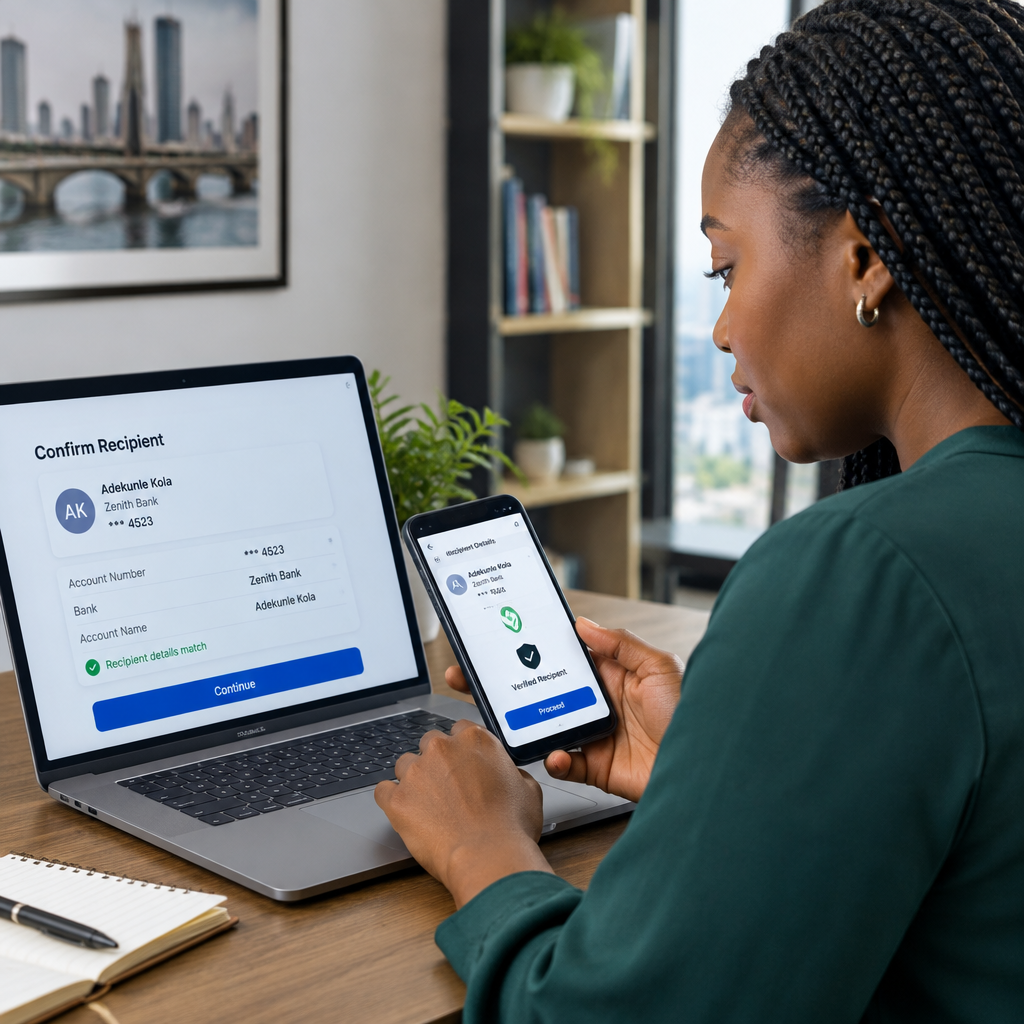
Many Nigerian banking apps and transfer channels show the account name after you enter the bank and account number. This may be called name enquiry, account-name verification or a similar term.
- Open your bank’s official mobile app or use its recognised USSD channel.
- Select the transfer option.
- Choose the recipient’s bank carefully.
- Enter the account number without copying an extra space or digit.
- Wait for the displayed account name.
- Compare it with the name supplied by the recipient.
If the name does not match, stop and ask questions before proceeding. A mismatch can result from a typing error, a business using a personal account, a joint account or a payment instruction that is no longer valid. It can also indicate fraud.
Do not try to force the transfer through simply because the recipient says the account belongs to a relative, agent or staff member. Ask for a clear explanation and independently confirm it.
Step 3: Confirm the payment with the recipient
For a personal transfer, call the recipient on a number you already have saved or have previously used. Ask them to confirm the last few digits of the account number and the exact amount you intend to send.
For a business payment, check whether the business name, invoice details and account name make sense together. For example, a company may legitimately collect payments through an account with a registered business name or a designated account. However, you should still verify any unusual change in payment instructions directly with the business.
When buying something online, do not treat a seller’s urgency as proof of legitimacy. A genuine seller should be able to explain the item, price, delivery arrangements and payment account clearly. Keep records of the seller’s profile, messages, invoice and agreed terms.
Step 4: Check for pressure and unusual instructions
Scammers often try to prevent careful thinking. Warning signs include:
- “Send the money in the next five minutes.”
- “Do not call anyone to confirm this.”
- “The normal account is unavailable; use this one instead.”
- “Pay now to prevent your account, job, admission or delivery from being cancelled.”
- “Send an additional fee before your refund can be released.”
Urgency does not make a transfer legitimate. If you feel pressured, stop the transaction and verify the request through an independent channel.
Step 5: Review the final confirmation screen
Before entering your transaction PIN or approving the transfer, read the final screen slowly. Check the bank, account number, recipient name, amount and any transfer description.
This is the final opportunity to catch a mistake. Do not approve a transaction while distracted, driving, rushing or responding to several messages at once. If your bank app allows you to save beneficiaries, review saved recipients periodically and remove accounts you no longer use.
Never share your PIN, password, one-time password, card details or banking-app approval with another person. A legitimate bank employee should not need you to disclose these confidential details to “confirm” a recipient.
A simple verification workflow
Use this short process whenever a payment matters:
- Request: Obtain the bank name, account number, account name and payment purpose.
- Enquire: Enter the details in your official banking channel and view the returned account name.
- Compare: Check the displayed name and account details against the original instruction.
- Contact: Confirm the payment directly with the intended recipient using a trusted contact route.
- Review: Read the final confirmation screen, including the amount.
- Approve: Authorise the transfer only when the information makes sense.
For large payments, consider sending a small test amount only when the recipient agrees and the situation allows it. A test transfer does not prove that a person is honest, but it may help identify an incorrect account number before the full payment is sent. Keep the transaction receipt and related conversations.
What to do if you sent money to the wrong recipient
Act quickly. Contact your bank through its official customer-service channel and report the mistaken transfer. Provide the transaction reference, date, time, amount, destination bank and account details. Your bank may explain the recovery or dispute process, but recovery is not guaranteed.
If you know the recipient and the mistake was genuine, contact them politely and request a return of the funds. Do not send another payment to “unlock” or recover the original money unless your bank independently confirms the process.
If you suspect fraud, preserve screenshots, receipts, phone numbers, usernames and messages. Report the incident to your bank and the appropriate law-enforcement or reporting channel. Avoid publicly posting sensitive banking information while seeking help.
The safest habit before every transfer
Do not ask only, “Does the account name look right?” Ask, “How do I know this person or organisation should receive this money?” The safest transfer is one where the account details match, the payment purpose is clear and the request has been confirmed independently.
Taking an extra minute before authorising a bank transfer is far easier than trying to recover money after it reaches the wrong account.
Advertisement