

Advertisement

Advertisement
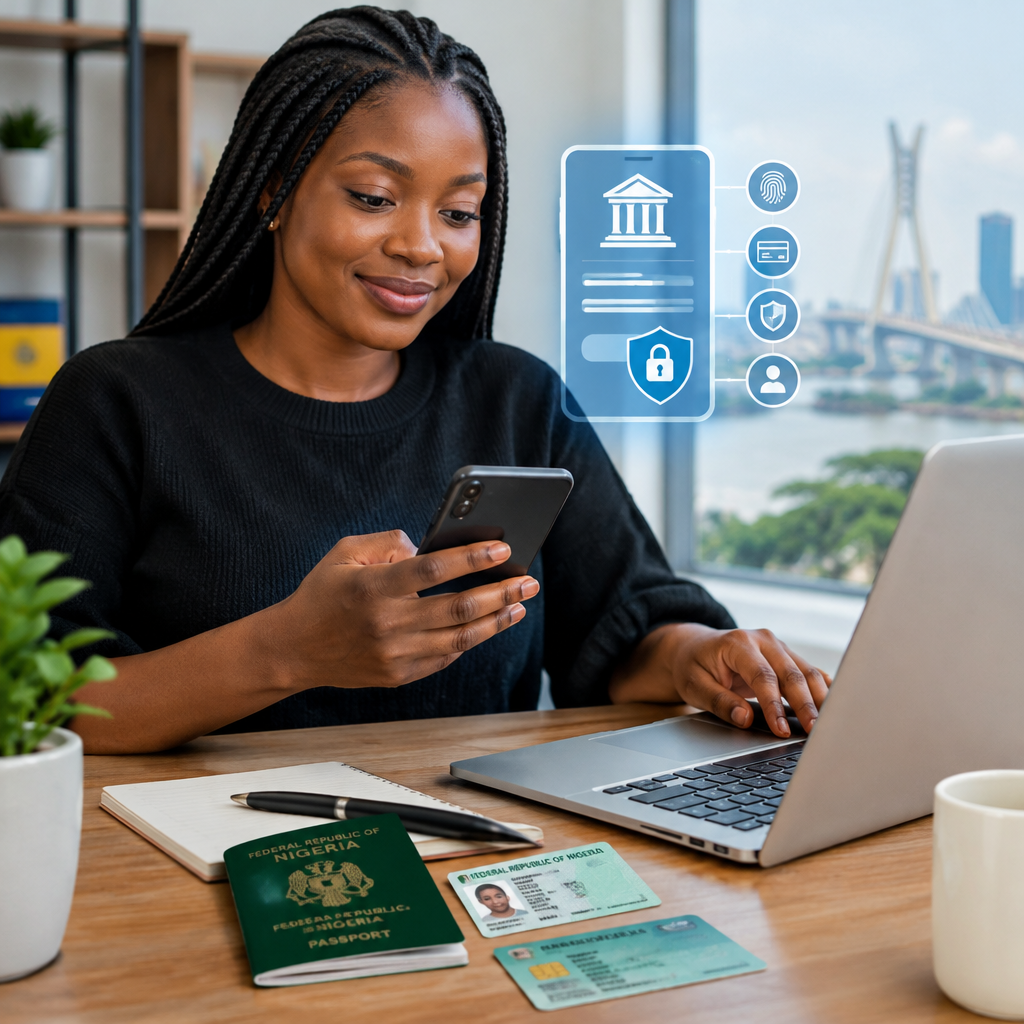
Opening a Nigerian bank account online can save you a trip to a branch, but it also requires care. You may need to submit personal information, including your phone number, identification details, BVN or NIN information, and sometimes a photograph or proof of address.
The safest approach is to begin only from the bank’s verified website or official mobile application. Do not open an account through a link sent by an unknown person, a social media advert or a WhatsApp message claiming to represent a bank.
Advertisement
This guide is designed for Nigerians at home and abroad, including first-time account holders, students, workers, entrepreneurs and people who want a convenient account for transfers, savings or online payments.
Table of Contents
What you may need before starting
Requirements differ between banks and account types. A basic savings account may require fewer documents than a current, business or domiciliary account. Before starting, prepare the information the bank is likely to request:
- Your full name as it appears on your identification records
- An active Nigerian phone number and email address, where required
- Your date of birth and residential address
- A valid means of identification, depending on the bank and account type
- Your Bank Verification Number (BVN), where required
- Your National Identification Number (NIN), where required
- A clear recent photograph or selfie for identity verification
- Proof of address or other supporting documents, if requested
Requirements can change, and not every account supports fully online registration. Check the bank’s official instructions before submitting your information. Do not guess or enter false details simply to complete the form.
Choose the official account-opening channel
Most banks provide one or more of these options:
- An official mobile banking application downloaded from a recognised app store
- The bank’s official website
- An official USSD channel, where the bank supports account opening through USSD
- A verified branch-assisted process if online verification is unsuccessful
Check the spelling of the bank’s website and the name of the app developer before proceeding. A familiar logo is not proof that an app or website is genuine. Avoid applications installed from file-sharing sites, links in unsolicited messages or unofficial app stores.
Steps to open the account online
1. Select the right account type
Read the description before choosing an account. A savings account may suit everyday personal use, while a current account may be intended for more frequent transactions or business needs. Some banks also offer specialised accounts for students, young people, businesses or Nigerians living abroad.
Pay attention to applicable fees, transaction restrictions, minimum balance rules, card options and whether the account can be operated fully online. If the purpose is to receive salary, run a business or receive international payments, confirm that the account supports that use.
2. Enter your personal details carefully
Complete the form with accurate information. Your name, date of birth and other details may be checked against identity or banking records. Differences in spelling can delay verification.
Use an email address and phone number that you control. Never use another person’s number for an account that will contain your money or receive transaction alerts.
3. Complete identity verification
The bank may request your BVN or NIN, identification document, selfie or other verification information. Current onboarding requirements can depend on the bank, account category and applicable regulatory instructions, so rely on the bank’s own current process rather than advice from a social media post.
Only enter these details inside the official bank app or website. A bank employee should not ask you to send your NIN, BVN document, password or verification codes to a personal WhatsApp number.
4. Create your login and transaction security details
You may be asked to create a username, password, transaction PIN or other security credentials. Use a password that you do not use on social media, email or other websites. Do not write your PIN on your ATM card or share it with a friend or agent.
Some banks send a one-time password (OTP) to confirm registration or a transaction. An OTP is private. Anyone asking you to read it out so they can “activate” your account may be attempting to take control of it.
5. Review the details before submission
Check your name, phone number, email address and account type before submitting the application. Save the application or reference number if one is provided, but do not share it publicly.
If the bank says your application requires additional verification, use the support details shown inside the official app or on the bank’s official website. You may need to visit a branch if your information cannot be verified remotely.
How to recognise an account-opening scam
Fraudsters often imitate banks because opening an account involves sensitive information. Treat the following as warning signs:
- A message promising money if you open an account through a private link
- A request for your ATM card number, PIN, password or OTP
- Pressure to act immediately or risk losing access
- A demand to pay an unofficial activation or clearance fee
- An app downloaded from an unfamiliar website
- A caller asking you to move money to a “safe” account
- A request to share your screen or install remote-control software
Do not allow anyone to operate your banking app while you are logged in. Bank staff and legitimate support channels do not need your secret PIN or password to investigate a routine problem.
What to do after the account is opened
Confirm that you can log in through the official app or website and that transaction alerts are working. Review your profile and contact the bank through its official support channel if any detail is wrong.
Enable available security features such as device lock, biometric login and transaction notifications. Keep your phone’s operating system and banking app updated, and avoid banking over unsecured public Wi-Fi when possible.
Start with a small transaction if you are testing a new account or payment route. Check the recipient’s name and account number carefully before confirming a transfer. Keep screenshots or receipts for legitimate transactions, but hide account numbers and other private information before sharing anything online.
If you suspect your account is compromised
Act quickly. Use the bank’s official emergency support channel to report the problem, request appropriate restrictions and ask what further steps are required. Change your password from a safe device if you believe it has been exposed, and never disclose an OTP while trying to recover the account.
If your phone or SIM is lost, contact your mobile network provider and bank promptly. Also report unauthorised transactions as soon as you notice them. Fast reporting can help the bank investigate and limit further activity.
A safe decision rule
Before entering any information, ask three questions: Am I using the bank’s official app or website? Does the request match the bank’s stated process? Is anyone asking for a secret credential or urging me to hurry?
If the answer to the last question is yes, stop and verify independently. A genuine online bank account should make registration convenient, not force you to surrender control of your security details.
The most important protection is simple: use official channels, provide accurate information, and keep your BVN, NIN, PIN, password, card details and OTP private. When online verification fails, visiting the bank through an official branch or support route is safer than trusting an unofficial agent.
Advertisement
