

Advertisement
Advertisement
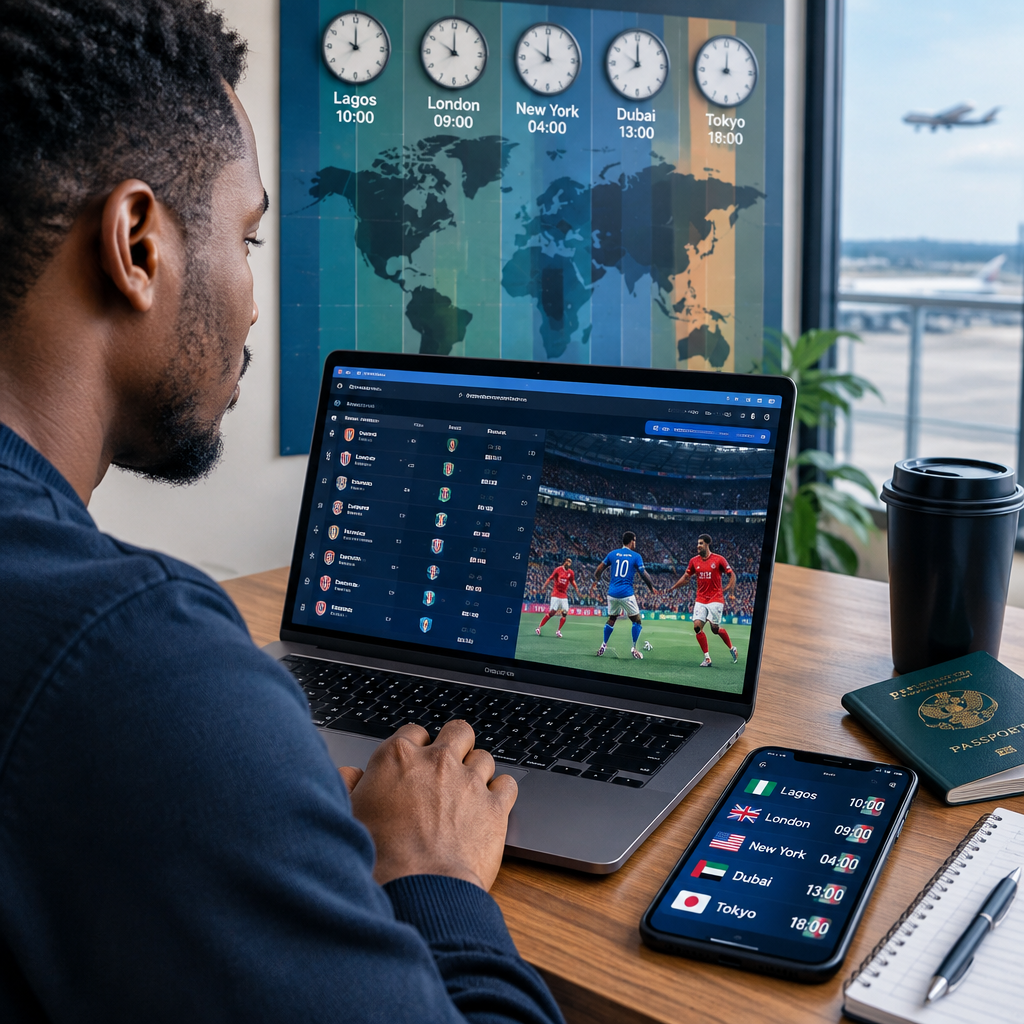
Following a football competition from Nigeria can become confusing when matches are listed in local times from Europe, North America, Asia or another region. A kick-off shown as 8:00 p.m. in one country may take place at a different hour in Lagos, and daylight-saving changes can make the difference even larger.
The safest approach is to use a competition or club’s official schedule, confirm the time zone displayed, convert it to your location, and then set a reminder. This simple process helps you follow fixtures, live scores and results without relying on guesswork or forwarded messages.
Advertisement
Table of Contents
Why football times change between countries
Every match is scheduled at a particular local time and time zone. For example, a fixture may be listed as 7:00 p.m. in London, 8:00 p.m. in Central European Time, or 3:00 p.m. in New York. Those times are not interchangeable.
Time differences can also change during the year because some countries observe daylight saving time. Their clocks move forward or backward, while Nigeria remains on West Africa Time throughout the year. As a result, the difference between Nigeria and a country may not always be the same month after month.
There can also be changes caused by postponed matches, television scheduling, stadium arrangements or competition organisers. Treat a social-media graphic or old fixture list as a starting point, not the final authority.
Start with the correct source
Before converting a kick-off time, check where the information came from. The most reliable options are usually:
- The official website or mobile application of the competition.
- The official website or verified social account of the club or national team.
- A reputable football livescore service that clearly shows the fixture date and time zone.
- Your phone’s calendar or a football app that automatically adjusts times to your location.
Look for the match date, kick-off time, competition name and time-zone label. A time shown without a date or time zone can be misleading, especially around midnight or during daylight-saving changes.
Converting a match time to Nigeria
Nigeria uses West Africa Time, commonly written as WAT, which is UTC+1. To convert a match time, identify the source location’s UTC offset and compare it with UTC+1. If the source country is ahead of Nigeria, subtract the difference. If it is behind Nigeria, add the difference.
For example, if a fixture is confirmed for 6:00 p.m. at UTC+2, Nigeria is one hour behind that time, so the Nigerian kick-off is 5:00 p.m. If the fixture is at 6:00 p.m. at UTC+0, Nigeria is one hour ahead, making it 7:00 p.m. in Nigeria.
This calculation is useful for understanding the basic principle, but it should not replace an updated fixture tool. A location may use different UTC offsets at different points of the year. When an official schedule gives you a direct local-time option, use that display instead of manually calculating every fixture.
Use your phone to avoid repeated calculations
On Android
- Open the official competition, club or livescore app.
- Check the app’s settings for location, region or time-zone preferences.
- Allow automatic date and time on your phone unless you have a specific reason to change it.
- Save important fixtures to your calendar or enable match notifications.
- Check whether the reminder is set for kick-off, a pre-match alert or both.
On iPhone
- Confirm that Set Automatically is enabled under Date & Time.
- Open the football app or website and set Nigeria or your current location as the preferred region if the option is available.
- Add selected matches to Apple Calendar when the service provides an add-to-calendar option.
- Review the calendar event and confirm the displayed time before saving it.
Menus differ between apps and may change after an update. If an app shows a surprising time, compare it with the competition’s official fixture page rather than assuming the phone is wrong.
Travelling? Track matches in your current location
If you are a Nigerian living abroad or travelling for work, study or holiday, decide whether you want fixture times in Nigeria or in your current location. A phone normally displays events according to its current time-zone settings, but a manually created event may remain tied to the zone selected when it was made.
For an important match, write both times in your notes—for example, “8:00 p.m. local time / 7:00 p.m. Nigeria time”—and set a reminder based on where you will be watching. This is especially helpful when arranging a group viewing with people in Lagos, London, Toronto or another location.
A practical workflow for following a full competition
Use this five-step routine before the competition begins:
- Choose the official fixture source. Bookmark it or save the competition in a trusted football app.
- Set your location. Use Nigeria or your current country, depending on where you will watch.
- Save the matches you care about. You may not need notifications for every fixture.
- Recheck the schedule before match day. Confirm that the fixture has not been postponed or moved.
- Follow the match through a live score or broadcast provider. Check availability and rights in your location rather than assuming a particular stream will work.
For readers who use football updates and livescores to follow several competitions, organising alerts by competition or club can reduce notification overload. Keep alerts for kick-off, goals and final results, and turn off categories that are not useful.
Common mistakes that cause missed matches
- Reading the time without the date: A late-night fixture in one country may be early the next morning in Nigeria.
- Using an old graphic: Knockout-stage fixtures and postponed matches can change.
- Ignoring daylight saving: The time difference with some countries may change during the year.
- Confusing broadcast time with kick-off: A television programme may begin before the match.
- Relying on a search snippet: Search results can show incomplete or outdated information.
- Changing the phone clock manually: This can affect calendars, banking alerts and other applications.
How to verify a confusing kick-off time
When two websites show different times, compare the full details rather than choosing the one that looks familiar. Check the competition’s official page, the home team’s fixture list and a reputable livescore service. Confirm the date, venue, time-zone label and whether the match is marked as postponed or rescheduled.
If you still cannot resolve the difference, use the source closest to the organiser and look for a recent update. Do not share an uncertain time as confirmed information. A short message such as “kick-off time is being checked” is more useful than sending friends to the wrong match.
Key takeaway
To track football across time zones, always identify the original time zone, convert it to your location, and confirm the fixture again on match day. Nigerian fans can avoid most missed kick-offs by combining an official schedule, automatic phone time settings, calendar reminders and a reliable live-score source.
Advertisement